
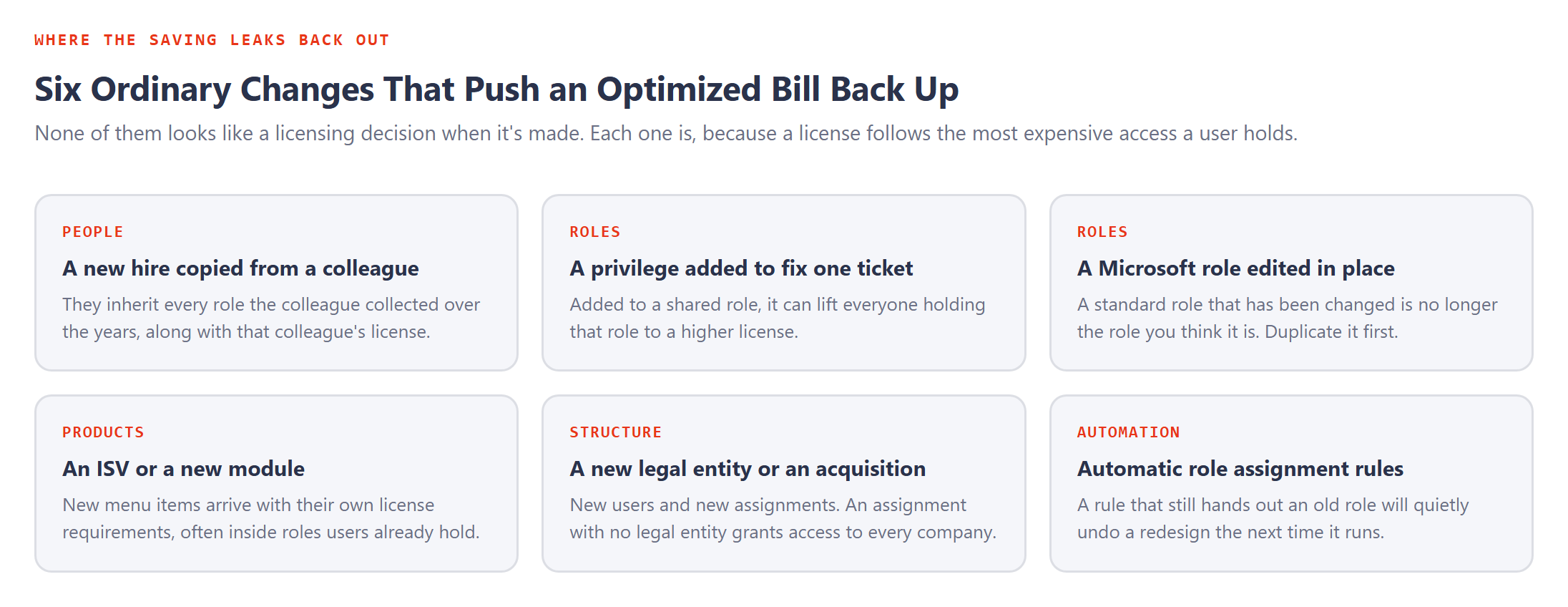
An optimized D365 license bill erodes one ordinary change at a time: a copied user, a privilege added to fix a ticket, an ISV, a new company. A five-step license gate in your change process prices each change before it goes live.
One privilege, added to one shared role to close one support ticket, can move every user who holds that role from a Team Members license to a full one. Nobody involved thinks of it as a licensing decision. It is one.
That's how optimized bills drift back up. Not through one big mistake, but through dozens of small changes made by people who were solving a different problem. The fix isn't another optimization project every renewal. It's a short check in the change process you already have.
Why every access change is a license change
A user's license follows the most expensive access they hold across all of their roles, plus an attach license when that access spans two products, such as Finance and Supply Chain. A role can't have a license; the user does, based on everything they can reach. So any change to what someone can reach is potentially a change to what they cost, and the only way to know is to check before it goes live.
The five-step license gate
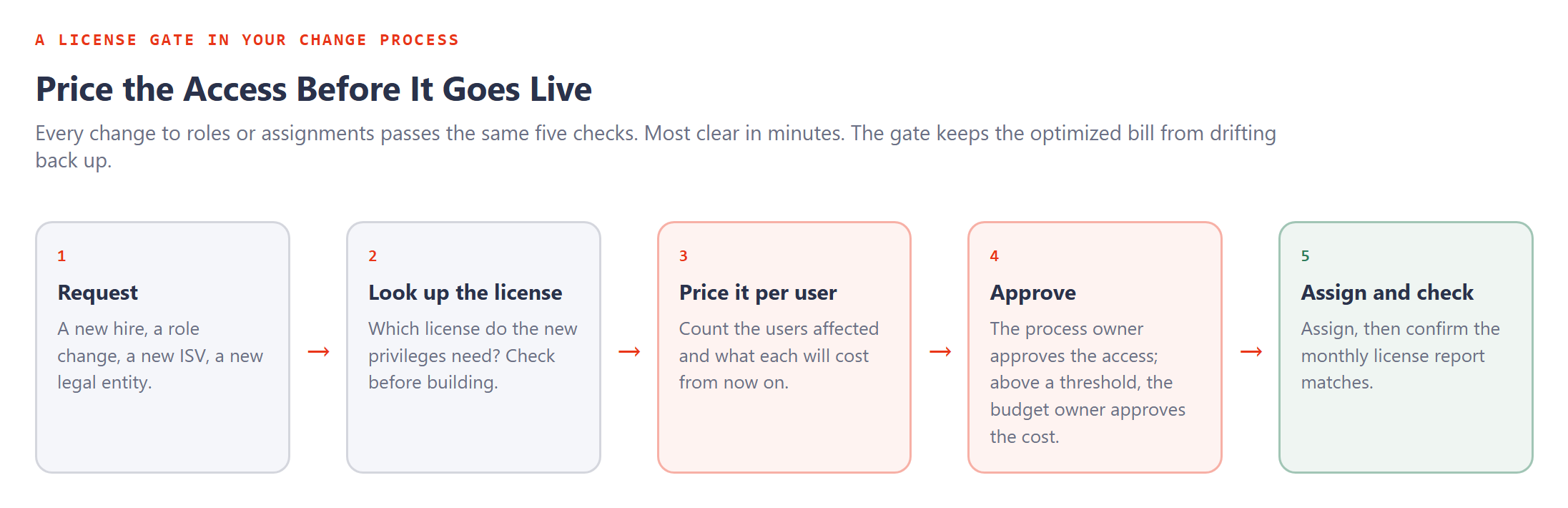
- Request. Route every change through one request: new hires, role changes, new privileges, new ISV solutions, new legal entities.
- Look up the license before building. Microsoft's Security object licenses view tells you which license an object requires. Two planning privileges turn it into a read and write license lookup you can check before anything is built.
- Price it per user. Count everyone the change reaches, not just the person who asked, and multiply by the monthly difference at your own prices.
- Approve. The process owner approves the access. Above a threshold you set, the budget owner approves the cost.
- Assign and check. Once a month, compare the user license report in the Power Platform admin center with your target. How to read that report, metric by metric covers what each number means.
Most changes clear the gate in minutes because they don't change anyone's license. The gate exists for the few that do.
Rules that keep the gate cheap
- Never edit a Microsoft role in place. Duplicate it, then change the copy. Five ways a standard role quietly inflates your bill shows what happens otherwise.
- Build new hires from role templates, not from a colleague. Copying a long-serving user copies every role they collected along the way.
- Always scope assignments to legal entities. An assignment with no organization grants access to every company in the group.
- Recheck the license after every fix. That includes support fixes in the weeks after a redesign goes live, when restoring one person's access is easy to do in a way that lifts a whole role.
- Review automatic role assignment rules after a redesign. A rule that still hands out an old role undoes the redesign every time it runs.
- Read each new Licensing Guide edition. Microsoft adds products and changes terms several times a year, and our Guide Watch updates flag what touches F&SC.
A number the CFO can watch
Give the budget owner one monthly view: users by license type, the monthly cost at your prices, and the gap from the optimized target. Price new hires by the license their role template requires, so headcount growth turns into a predictable line in the budget instead of a surprise at renewal.
| Measure | Where it comes from | What it catches |
|---|---|---|
| Users by license type | The Power Platform admin center license report | Users drifting into a higher license |
| Monthly cost at your prices | License counts multiplied by your agreement's prices | The run-rate against budget |
| Gap from the optimized target | The target design from your last analysis | Erosion since the redesign went live |
Who owns it
Your team does. We train clients who want to run this themselves: role and bulk assignment, Data Management imports, organization scopes, calculating license requirements, and optimizing what to buy. Clients who'd rather not can leave more of it with us as managed support. Either way, someone has to own the gate, or nobody does.
The lookup tells you what a privilege requires. It doesn't tell you whether the person needs it. That's still a decision for the process owner, and the gate only works if they actually make it.
An optimized bill stays optimized only if every access change is priced before it goes live. Five checks, most of them taking minutes, cost far less than rediscovering the drift at your next renewal.
For where the optimized target comes from in the first place, see why your managers decide how much you save and why a 30% saving can still mean a bigger bill.
The target you're protecting here comes from an analysis of real usage, like our paid analysis. Our free workbook doesn't produce one, because it leaves your security as it is.
Frequently asked questions
Doesn't a license check slow down access requests?
Rarely. Most changes don't affect anyone's license and clear the lookup in minutes. The check matters for the few that would lift a role, or many users, to a higher license.
Who should own the license gate?
Whoever already approves security changes, usually the D365 system administrator or security lead, with the budget owner approving costs above an agreed threshold.
How often should we compare against the target?
Monthly. That's often enough to catch drift while it's still one or two changes.