
Most D365 renewals under per-user enforcement go up, because the license count bought at go-live never kept pace with the users switched on afterward. A 30% saving is measured against the bill enforcement would send you, so it shrinks the increase. Whether it also takes the bill below today's depends on how big the gap was.
In 65 of the 66 license analyses and remediations we've run over the last two and a half years, for more than 30 clients, the bill under enforcement, for the licenses Microsoft's assessment says the users need, came out higher than what the client was paying. That isn't a sign something went wrong in those 65 projects. It's what enforcement looks like when it finally arrives.
So when we say a first-pass optimization often models around 30% savings, a CFO's next question is the right one: 30% of what? The answer explains how a real saving can sit next to a renewal that's still bigger than last year's.
Why almost every renewal goes up
Most companies bought their D365 Finance and Supply Chain licenses once, right before go-live, as a negotiated number and mix. Then the system went live and people kept getting access. In our experience it's common for two to four times as many users to end up active as the original purchase assumed. For years nothing forced those two numbers back together.
Microsoft's per-user license validation changed that. Starting on each tenant's contract anniversary or renewal date after January 15, 2026, users without the license their roles require get blocked (we cover the timeline in the license validation article). The requirement Microsoft calculates follows the access users actually hold, not the count bought at go-live. That includes access their roles grant but their jobs don't need, which is the part an optimization removes. For most companies, the gap between the requirement and what they bought is the increase.
Enforcement doesn't create the gap. It makes you pay for it: for the users you switched on after go-live, and for roles that grant more than the job needs.
Thirty percent of the right number
Our saving is measured against the bill enforcement would send you: the total cost at renewal if you simply bought what Microsoft's assessment says you need, the requirement in the user license report in the Power Platform admin center. We call that the unoptimized renewal, and we compare it with the bill after optimization and remediation. The 30% isn't a share of today's invoice, or of the increase.
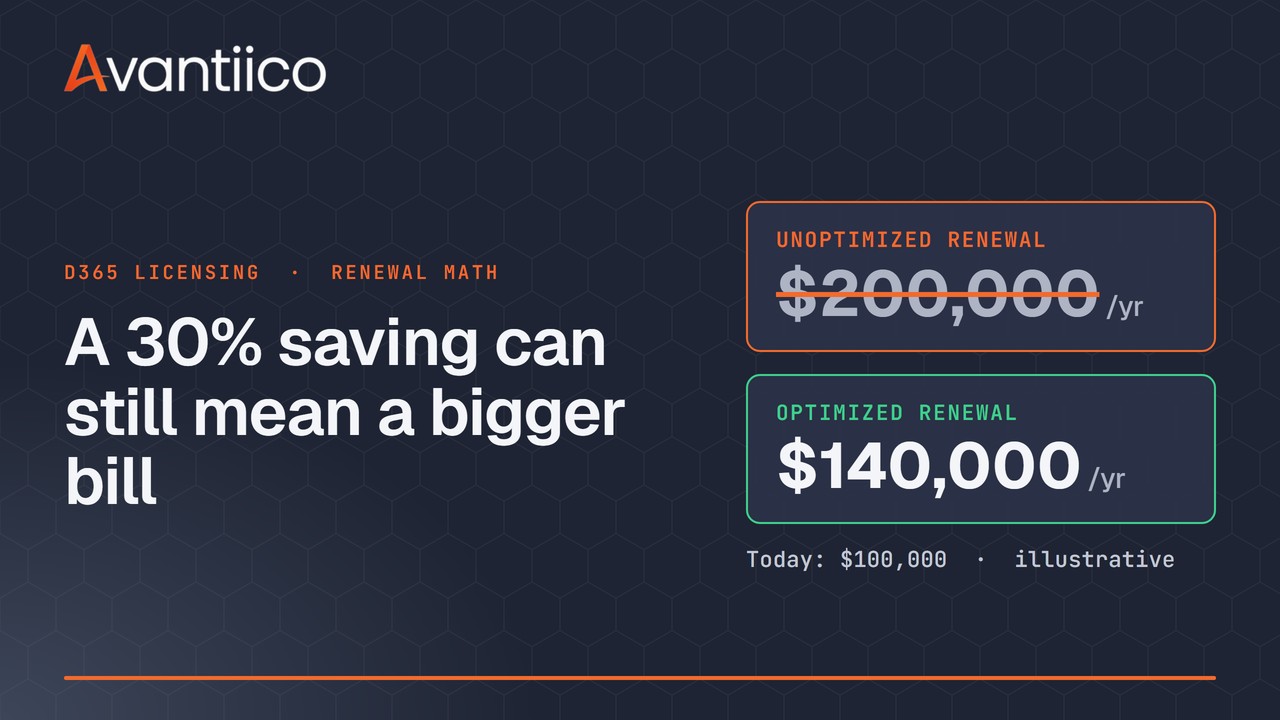
Here's an illustrative example, with all three figures invented to show the shape. Today you pay $100,000 a year. Buying what the assessment says would cost $200,000 at renewal. A 30% modeled reduction takes $60,000 off that, so the optimized renewal is $140,000.
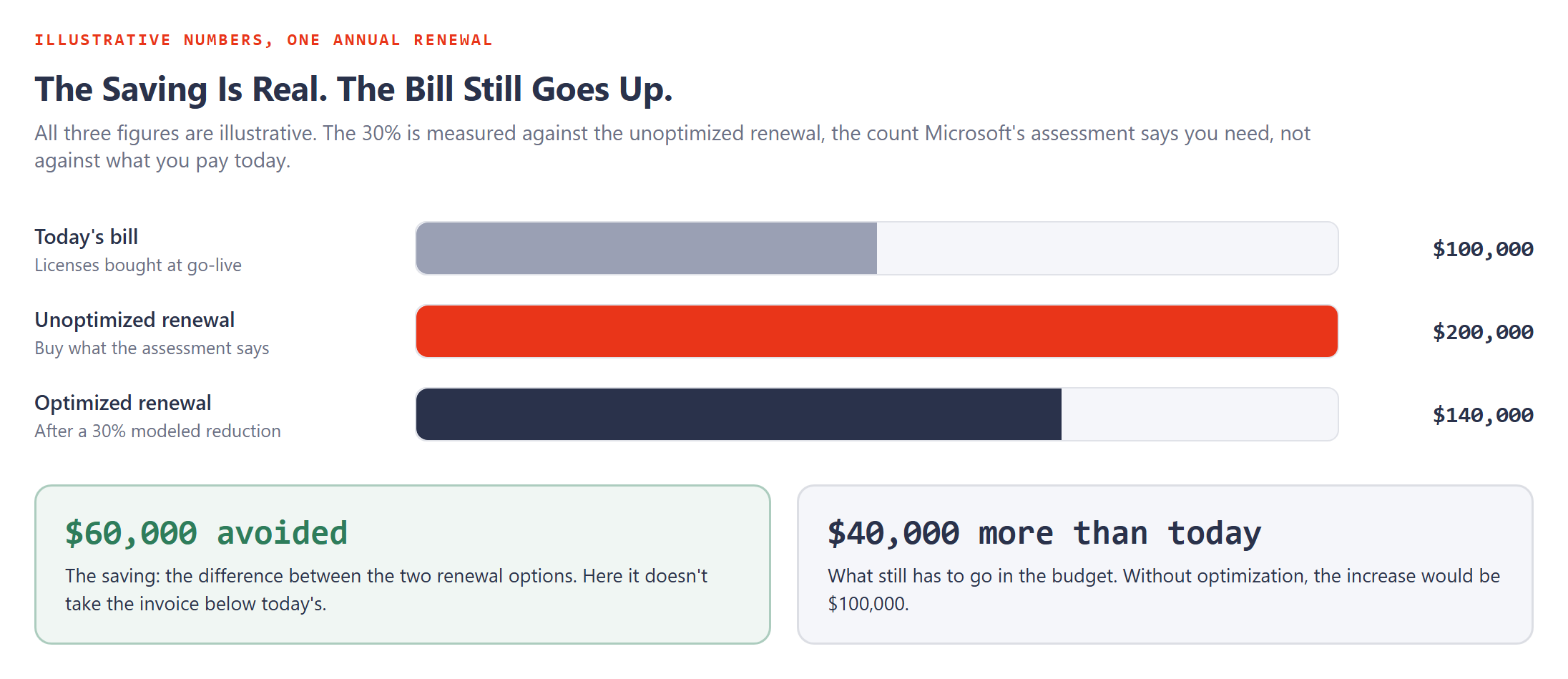
If the approved design holds, the $60,000 is money you won't spend. But the renewal is still $40,000 more than this year, and anyone who promised the board a lower bill now has an awkward meeting. Without the optimization, the increase would have been $100,000.
One more distinction matters. A saving measured against the unoptimized renewal compares your design with what you'd be forced to buy. A like-for-like saving compares two designs priced the same way. They answer different questions, and mixing them inflates headlines, which is why we always label which one we mean.
Three numbers, not one
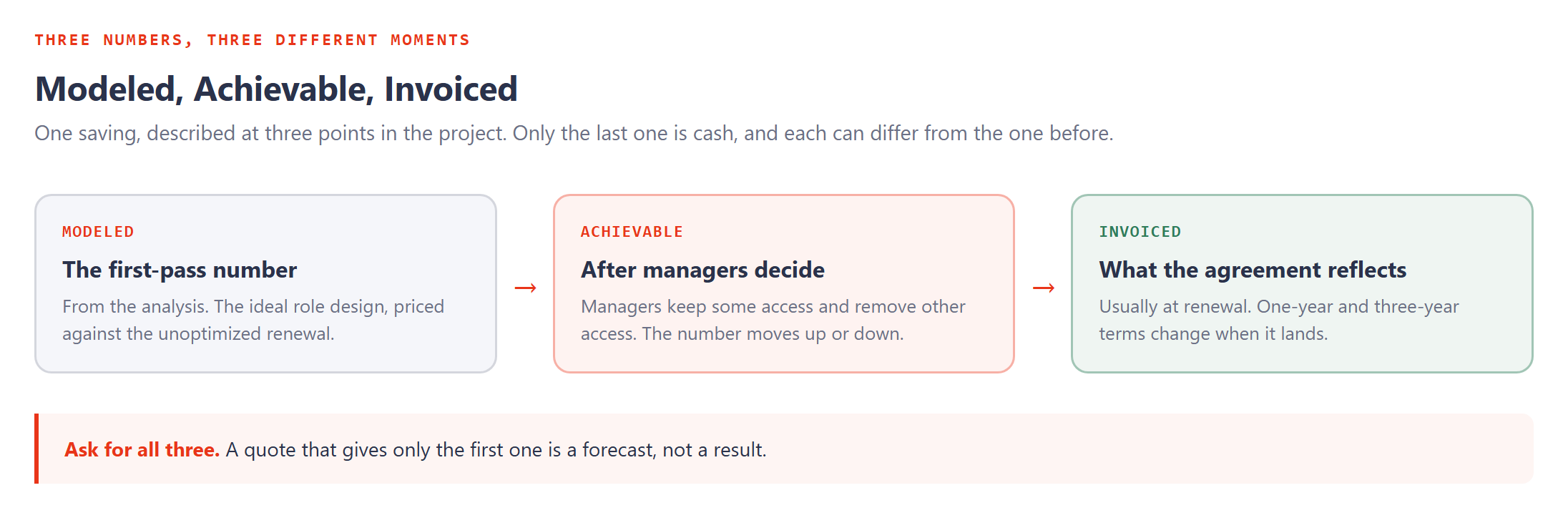
The 30% is only the first of three numbers you'll see over the life of a project, and each one can differ from the one before.
| Number | Where it comes from | What moves it |
|---|---|---|
| Modeled | The first-pass analysis: an ideal role design, priced against the unoptimized renewal | The evidence available, including how long the usage window was |
| Achievable | The design your managers actually approve | Decisions to keep little-used access, or to remove access people use but don't need |
| Invoiced | What your agreement lets you change, usually at renewal | Contract terms, including one-year versus three-year agreements |
The 30% is a typical first-pass estimate, not a promise. The approved design can land above or below it. And when the saving reaches an invoice depends on your agreement with Microsoft or your reseller, which no consultant controls.
How to put it in front of a board
Give the board three lines, not one percentage: today's bill, what the renewal costs if you buy what the assessment says, and what it costs after optimization. They'll see an increase either way. The decision in front of them is how big it is.
Book the difference as cost avoidance against the unoptimized renewal, not as a reduction against today's bill. Update it twice: once when managers have approved the design, and again when the renewal is signed. A number that's labeled this way survives the next budget review. One that's quietly compared with the wrong baseline doesn't.
When the saving is a real reduction
A renewal below today's bill does happen. It's possible when a company bought more than it needed, or when it already pays for licenses that cover access nobody uses. In our experience that's the exception. It's also where a discount and an optimization add up: a discount lowers the price of each license, and an optimization lowers how many you need. They're two different savings, and you can have both.
Under per-user enforcement, the question for most D365 customers isn't whether the renewal goes up. It's by how much. A 30% saving against the unoptimized renewal is worth having, and it's honest only when it sits next to today's bill and is labeled as avoided cost.
If your renewal is within six months, the useful move now is to get all three lines on one page before anyone negotiates. Related reading: Microsoft sets the price, your security configuration sets how many licenses you need, why your analysis should start before the last 90 days, and how much of a quoted saving is actually bankable.
Free workbook or paid analysis: what's the difference?
The free workbook recalculates the cheapest license mix for the security you already have, which the Power Platform admin center report doesn't fully optimize. The paid analysis finds the permissions people don't use, and that's where the larger savings are.
| Free workbook | Paid analysis | |
|---|---|---|
| What it does | Recalculates licenses. Your security stays as it is, so it can't reduce what that security requires | Proposes a redesign that keeps the access people need. Your managers decide |
| What to expect | A lower bill when the license mix or purchase minimums are the problem | Usually 20 to 30% of the bill you'd otherwise pay, once the redesign is deployed |
| Who runs it | You | We run the analysis. We or your team deploy |
| Cost | Free | Paid: at 20 to 30%, it saves $200,000 to $300,000 a year per $1 million of the bill you'd otherwise pay. Deployment is priced separately |
Download the free License Optimization Model, or see how the paid analysis works.
Frequently asked questions
Will our license bill go down after optimization?
Not necessarily below today's. If enforcement is catching up with you, the optimization shrinks the increase, and the renewal can still be above what you pay now. In 65 of our last 66 analyses and remediations, the bill enforcement would send was higher than what the client was paying.
Why were we underlicensed in the first place?
Most companies bought licenses once, before go-live, and then gave access to more people as the system settled in. Nothing forced the purchased count to match the access people held until per-user license validation started.
When will the saving show up on an invoice?
When your agreement lets the subscription change, which is usually at renewal. One-year and three-year agreements land at different times, so check your own terms before you put a date in the budget.