
A first-pass D365 license model is where the conversation starts, not where it ends. Managers who keep little-used access push the saving down. Managers who remove access people use but don't need push it up. Neither choice should hide behind the word optimization.
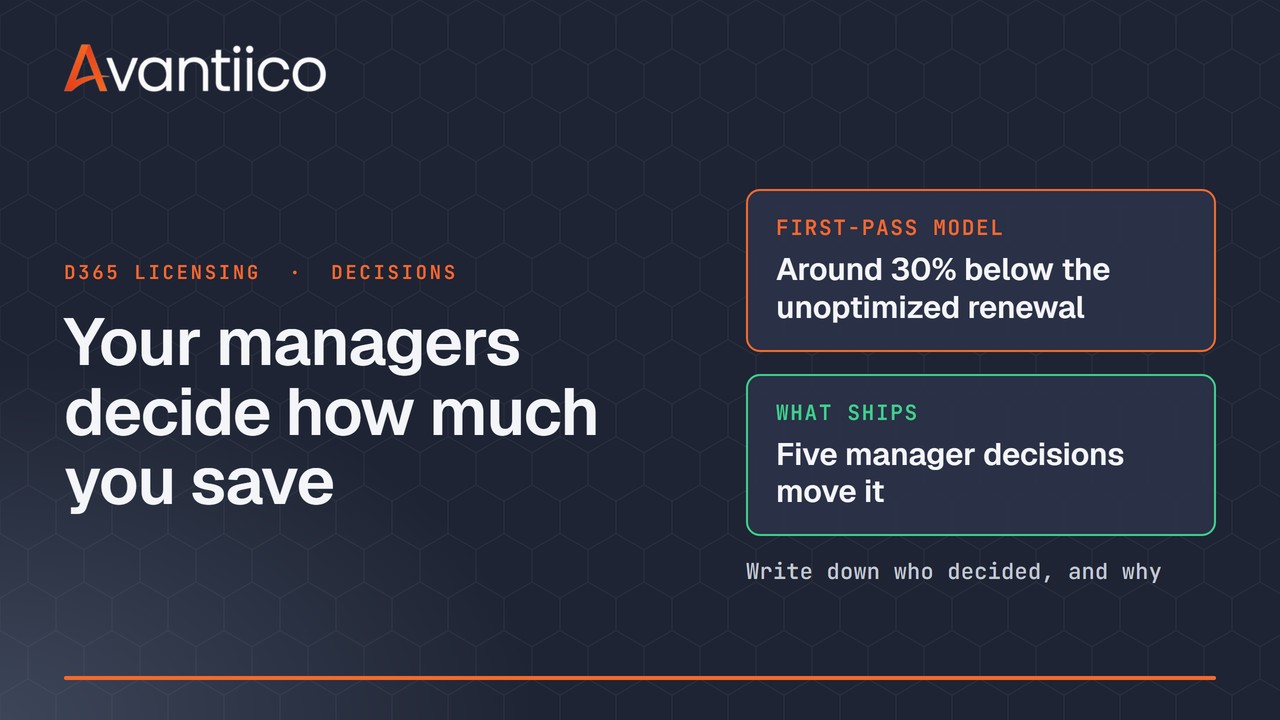
Our first-pass model, built in about a day from usage evidence and the license rules, often lands around 30% below the unoptimized renewal. The number that ships is almost never exactly that. In our experience it moves, and the biggest moves come from decisions managers make once they see the proposal, not from tuning the model.
That's how it should be. Usage tells you what people did during the window. It doesn't tell you what they should be doing next year.
What the model decides on its own
The first pass combines three things: what people were seen doing, which license each piece of access requires, and functional knowledge of how D365 Finance and Supply Chain processes actually run. It isn't a "remove whatever wasn't used" algorithm. A user whose observed work needs a Finance license keeps the Finance-level and lower access they already have, even if a rare task never showed up in the window. No usage data isn't the same as not needed explains the rule, and three ways to treat access with no usage evidence shows what each policy costs.
What the model can't decide is whether a person should keep doing a task at all. That's a question about how the business runs, and only the people who run it can answer it.
Usage tells you what happened. Only a manager can say what should happen next.
Five decisions that move the number
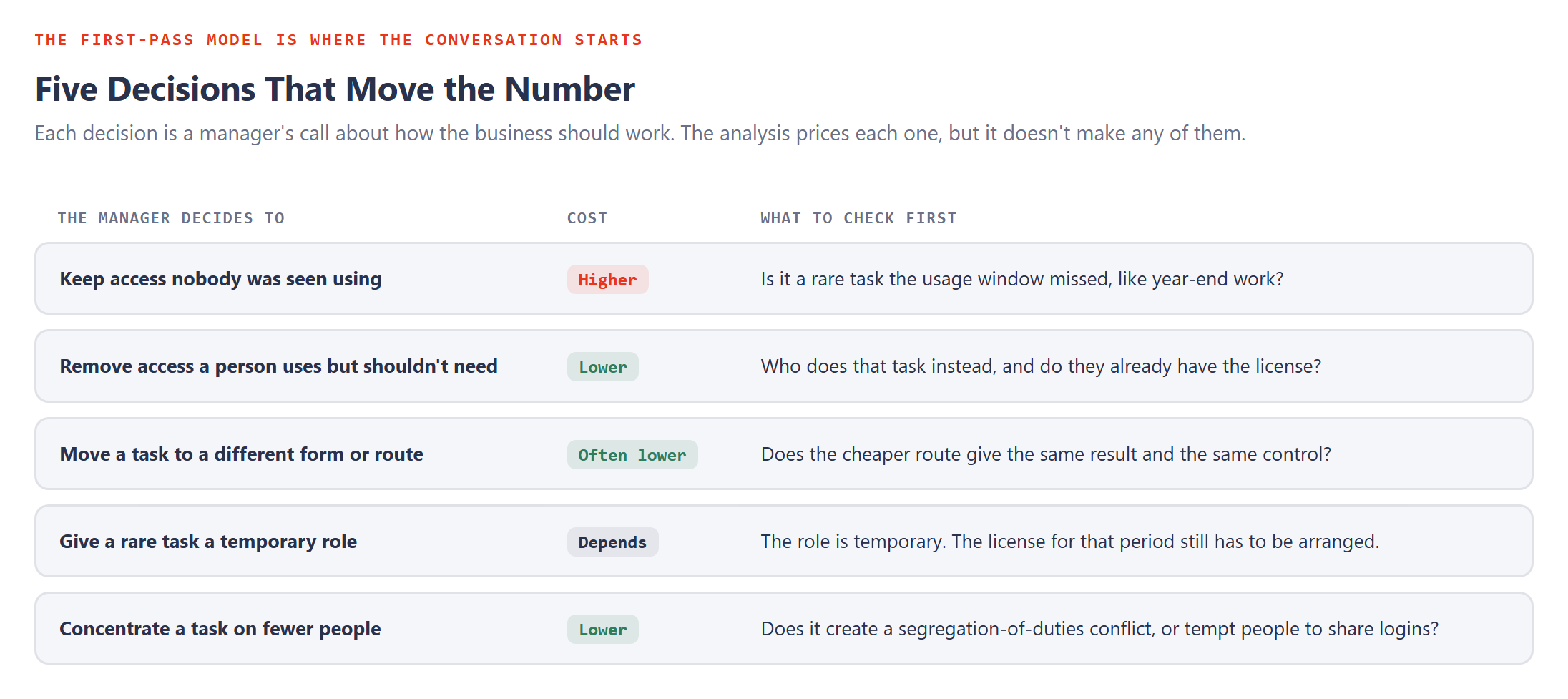
Keeping access nobody was seen using is often the right call. Year-end close, an annual audit request, a process that runs once a quarter: none of these show up in a short window. Keeping that access costs money, and it should be a conscious choice rather than a default.
Removing access someone uses is where savings grow past the first model. Usage isn't need. A person might post journals only because nobody else was ever set up to. If the business decides that task belongs elsewhere, the expensive access can go, and the saving goes up.
Moving a task to a different form can change the license without changing the outcome, because D365 licenses follow the entry point, not the task. The same project case can cost a full license through one door and Team Members through another, and modeling a process change shows how to price it before anyone retrains.
Giving a rare task a temporary role avoids permanent elevated access. Microsoft's temporary role management lets a system administrator grant roles for a set session, after which the user returns to their original roles, with audit and user logs kept. But a temporary role isn't a temporary license. The license for that period still has to be covered under your agreement.
Concentrating a task on fewer people cuts licenses quickly, and it can create the segregation-of-duties conflict your auditor will flag. License optimization doesn't fix segregation of duties, so check both before you sign off.
Clients don't always choose the biggest saving
The biggest saving isn't always the right one, and the clients in our case studies said so. One client turned down a mathematically optimal design because a hundred-role model would have been unmaintainable for their team. Another chose manageable over optimal and knew exactly what that choice cost. A third reordered its priorities mid-engagement to protect access it couldn't yet prove unused. Each was a legitimate business decision, and each changed the number.
What doesn't move the price much is tuning the engine. We tested every setting in our role-redesign engine, and only one of them moved the price. The large differences come from decisions about access.
Make every decision visible
For each change from the first model, write down who decided, what changed, why, and what it cost or saved. Then present the approved number next to the model, with the difference attributed to named decisions. A CFO can defend that number. An auditor can follow it. And when someone asks a year from now why a role still carries a Finance license, the answer is on file.
Removing access someone uses is a process change, not a cleanup. Make sure someone else is licensed and trained to do the task, and confirm it with the people who do the work before cutover, not after.
A license saving is a set of business decisions with prices attached. Let the model price them, let managers make them, and write down who chose what. Then the final number is one you can defend, whether it's above or below the first model.
If you're presenting the result to a board, pair it with the three numbers every renewal needs, and see what a one-day analysis gives you for where the first model comes from.
Free workbook or paid analysis: what's the difference?
The free workbook recalculates the cheapest license mix for the security you already have, which the Power Platform admin center report doesn't fully optimize. The paid analysis finds the permissions people don't use, and that's where the larger savings are.
| Free workbook | Paid analysis | |
|---|---|---|
| What it does | Recalculates licenses. Your security stays as it is, so it can't reduce what that security requires | Proposes a redesign that keeps the access people need. Your managers decide |
| What to expect | A lower bill when the license mix or purchase minimums are the problem | Usually 20 to 30% of the bill you'd otherwise pay, once the redesign is deployed |
| Who runs it | You | We run the analysis. We or your team deploy |
| Cost | Free | Paid: at 20 to 30%, it saves $200,000 to $300,000 a year per $1 million of the bill you'd otherwise pay. Deployment is priced separately |
Download the free License Optimization Model, or see how the paid analysis works.
Frequently asked questions
Why doesn't the final saving match the first model?
Because the first model can't know which tasks the business wants people to keep doing. Managers keep some access and remove other access, and each decision moves the number up or down.
Who should approve these decisions?
The manager who owns the process, with the budget owner aware of the cost. The analysis supplies the price of each option. The decision belongs to the business.
Does keeping extra access make us non-compliant?
Not for licensing. As long as each user holds the license their access requires, you're license-compliant. Access nobody needs is still worth a least-privilege and segregation-of-duties review, because your auditor will ask about it.