
Six users who only touch Commerce do not need 20 Commerce licenses. They need one license each, and in one worked example in this guide, giving them a Supply Chain Management base license instead of a Commerce one avoided the 20-seat Commerce minimum entirely and cut the monthly bill from $11,400 to $8,640, without changing a single security role or moving a single user.
That is the entire premise of the License Optimization Model: a free Excel workbook and user guide we built for the clients who are not ready to reconfigure security and run a full role-mining engagement, but want to stop overpaying today. It takes your environment exactly as it is, the licenses Dynamics 365 already says each user needs, and the licenses you already own, and finds the cheapest way to be compliant with both.
This workbook isn't our analysis service. It recalculates licenses for the security you have today. See how it differs from the paid analysis.
Why this is worth doing before any security redesign
Microsoft now checks Dynamics 365 Finance and Operations licenses user by user. A user whose security roles require a license they do not hold shows up as unlicensed and cannot sign in once license validation starts. Becoming compliant is not just a matter of buying what is missing, because Microsoft's own commercial rules decide what you actually have to pay for: each user gets exactly one base license (the most expensive one they hold) plus much cheaper attach licenses for every other application, most full applications carry a minimum purchase quantity of 20 seats, and licenses you already own on one SKU can often be reclassified to another instead of buying new ones.
Security redesign closes the bigger gap by changing which roles people hold. This model doesn't touch that. It works on the subscription itself, which is why you can run it this week instead of after a multi-month project.
The workbook does not change what any user can do. It changes which SKU gets billed as the base license and which owned seats get reclassified, so the same access costs less.
What the workbook actually calculates
The model runs in three stages, each visible as its own set of sheets:
- Requirement. It reads the license each user needs, straight from the Dynamics 365 table your security roles already populate, and applies Microsoft's default base and attach rule.
- Base license choice. Instead of Microsoft's default (highest-priority license wins), it chooses each user's base license to minimize the whole company's purchase cost, while keeping every application every user actually needs.
- Purchase optimization. It applies the minimum purchase quantities, uses licenses you already own to cover shortages through reclassification, and only prices out whatever shortage remains.
Six sheets come out the other end: a license report comparing what is required against what you own, a purchase recommendation with the estimated cost, a reclassification list of exactly which seats to move and to where, a per-user assignment sheet to use directly in the Microsoft 365 admin center, and a bill summary showing the monthly cost today, until renewal, and after renewal.
The Commerce example, in full
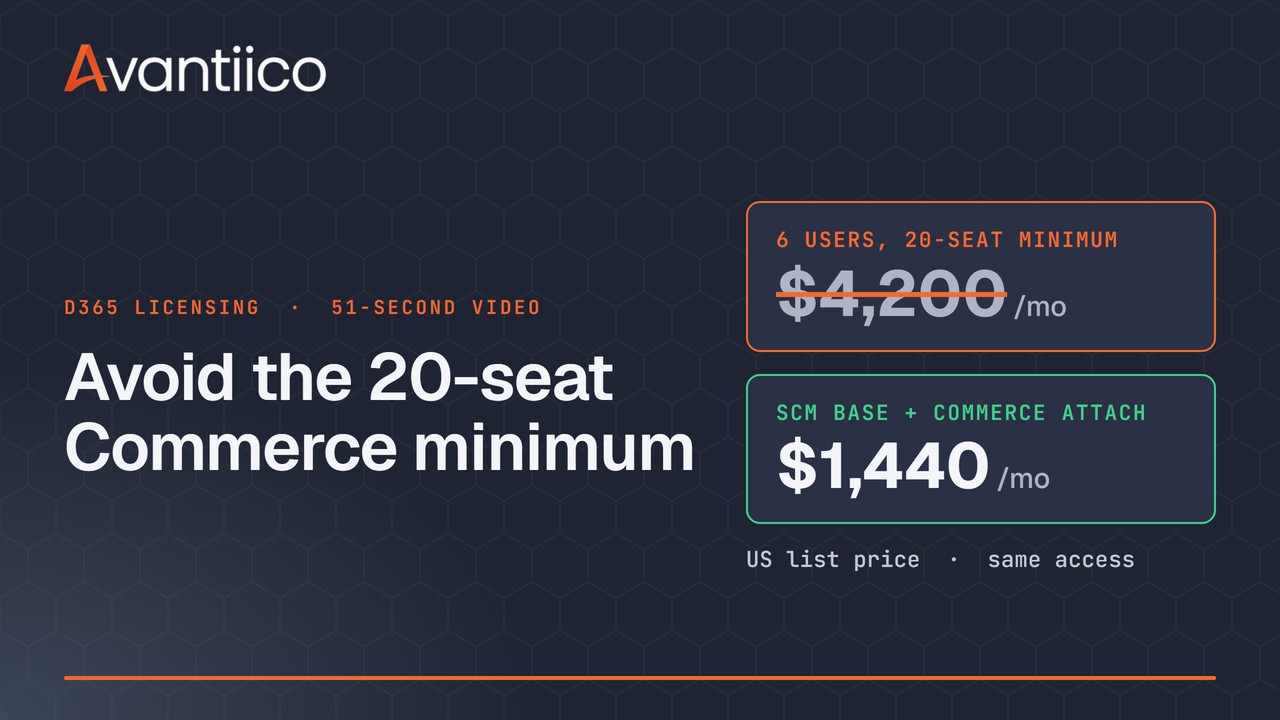
Six users need only Commerce. Thirty users need both Finance and Supply Chain Management. The company owns no licenses yet. Microsoft's own default calculation treats the 6 Commerce users as needing a dedicated Commerce base license, which triggers Commerce's 20-seat minimum.
| SKU | Out of the box: seats billed | Cost | Optimized: seats billed | Cost |
|---|---|---|---|---|
| Supply Chain Management | 30 | $6,300 | 36 | $7,560 |
| Finance Attach | 30 | $900 | 30 | $900 |
| Commerce | 20 (minimum, for 6 users) | $4,200 | 0 | $0 |
| Commerce Attach | 0 | $0 | 6 | $180 |
| Total per month | $11,400 | $8,640 |
The company already buys Supply Chain Management for its other 30 users, so giving these six an SCM base license raises the SCM count from 30 to 36 but triggers no new minimum, since the 30 other users already clear SCM's 20-seat threshold. For the six users, that's 6 × ($210 + $30) = $1,440 a month instead of $4,200 for the 20 Commerce seats a Commerce base would have triggered. Every one of them still has every application they need. Only their base license changed, an added base none of them strictly need, the pattern the callout below describes.
A row in the optimized assignment that was not in the user's original requirement is an "added base," a license the user does not strictly need but that lowers the company's bill by absorbing a minimum. The Power Platform admin center will report that user as over-licensed. Do not remove it: without it, the attach license it is carrying loses its qualifying base, and the product minimum applies again. Confirm with your Microsoft partner, before acting on any reclassification, whether your agreement allows the move during the term or only at renewal, and whether attach licenses count toward product minimums at all. The model assumes they do not.
What you need to feed it
Two tables, both of which you likely already have access to:
- Subscription: what you currently own per SKU, Microsoft's minimum for each, and your contract or list price. Pulled from the Microsoft 365 admin center, cross-checked against the Power Platform admin center (PPAC) product cards.
- User_SKU: the license each user needs, exported from the Dynamics 365 table
LicensingUserLicensesByRolethrough the table browser. Only the user ID and SKU name columns matter, and duplicate rows from multiple security roles are fine since the workbook counts each pair once.
From there it is Data > Refresh All, a few seconds for roughly 1,000 users. The full guide in the download walks through every column of every output sheet, how to read the PPAC license report before you start, and what each possible refresh error means.
What this does not replace
This is the floor, not the ceiling: the cheapest compliant position for the access you have configured now. The larger savings in our case studies come from the next stage: finding who actually uses the system, which roles, duties, and privileges drive each license, and redesigning security around real usage. Across our engagements, that full process usually saves 20 to 30% of the bill a company would otherwise have to pay. Individual published projects have gone higher: one from $105,000 to about $65,000 a month, and one from a projected $43,000 to about $32,000, then about $26,000 at the latest interim measurement. One modeled design reached 44% before the client declined it as unmaintainable. This model you can run today, before any of that starts.
If you have not touched your subscription's base license choices or checked for reclassification opportunities, there is almost certainly money on the table that has nothing to do with your security model at all, and this workbook finds it in minutes.
Free workbook or paid analysis: what's the difference?
The free workbook recalculates the cheapest license mix for the security you already have, which the Power Platform admin center report doesn't fully optimize. The paid analysis finds the permissions people don't use, and that's where the larger savings are.
| Free workbook | Paid analysis | |
|---|---|---|
| What it does | Recalculates licenses. Your security stays as it is, so it can't reduce what that security requires | Proposes a redesign that keeps the access people need. Your managers decide |
| What to expect | A lower bill when the license mix or purchase minimums are the problem | Usually 20 to 30% of the bill you'd otherwise pay, once the redesign is deployed |
| Who runs it | You | We run the analysis. We or your team deploy |
| Cost | Free | Paid: at 20 to 30%, it saves $200,000 to $300,000 a year per $1 million of the bill you'd otherwise pay. Deployment is priced separately |
The workbook is the download on this page. To go further, see how the paid analysis works.
Related reading: Microsoft's mandatory per-user license validation rollout explains the compliance deadline this model helps you meet, a role cannot have a license and Microsoft sets the price, your security configuration sets how many you need cover why the requirement side of this equation comes from your roles in the first place, and our plain-English primer on D365 F&SC license types is the place to start if any of the SKU names above are unfamiliar. For the mechanics behind this workbook in more depth: how to read the PPAC license report, why Microsoft's purchase minimums force you to overbuy, which license should be your base, and a $750 purchase that raised the bill to $12,700.