
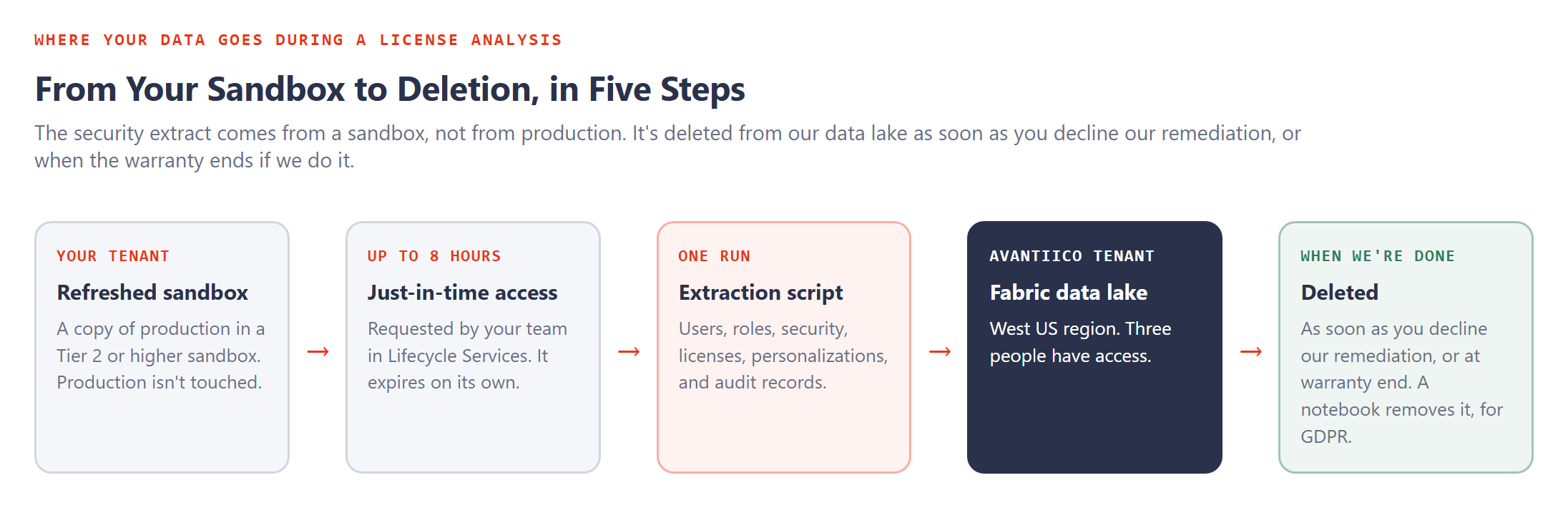
A D365 license analysis runs on a copy of your production security and usage data. Ours is extracted from a refreshed sandbox, stored in a Fabric data lake in Avantiico's tenant in the West US region with access limited to three people, and deleted as soon as you tell us you don't want us to do the remediation, or when the warranty period ends if we do it.
Three people. That's how many have access to a client's data once we've extracted it for a license analysis. It's a fair thing to ask any vendor before you grant access to your environment, and the full answer is short enough to fit in one article.
The analysis is fast because it runs on real data: a copy of your users, roles, security, and activity taken from a sandbox refreshed from production. That makes the vendor a processor of your data, and it deserves the same questions you'd ask any processor.
Where the data comes from
Everything comes from a Tier 2 or higher sandbox that you've refreshed from production. Production itself isn't touched. Someone on your team requests just-in-time database access to that sandbox in Lifecycle Services and allow-lists our IP address, and Microsoft's grant expires on its own after eight hours. The extraction only reads data, so there's no reason to grant more than read access.
Two other inputs come from you directly: an export of usage telemetry, and your current subscription quantities and prices.
What gets extracted
The extract is built to answer two questions: who can do what, and who actually did it. It covers active and application users, role assignments, the security hierarchy down to duties, privileges, and entry points, the license each one requires, personalizations, and audit records of who created or changed records. What we collect and why goes through each dataset and the question it answers, and our data collection walkthrough shows the script that pulls them in one run.
Where it's stored, and who can see it
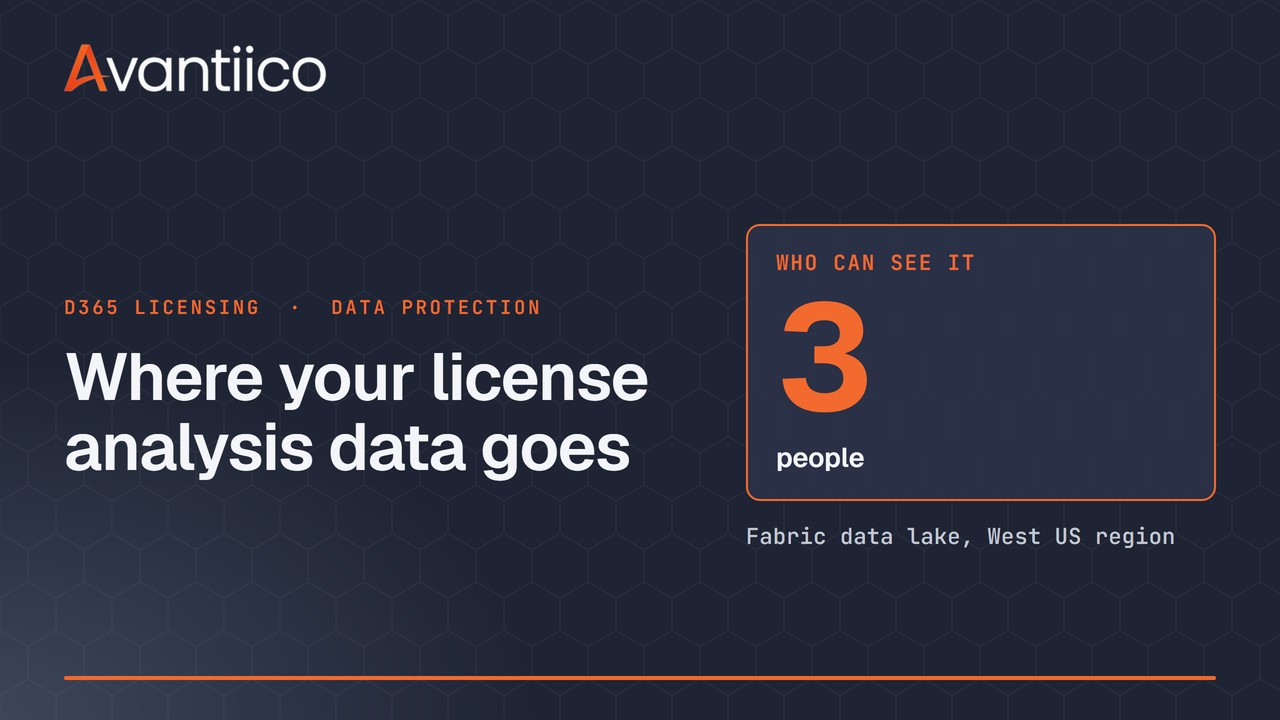
The data goes into a Microsoft Fabric data lake in Avantiico's own tenant, in the West US region. Three people have access to it. That's where we calculate the current and target license requirement and build the reports you receive.
When it's deleted
If you decide you don't want us to do the remediation, we delete your data as soon as you tell us. If we do the remediation, it's deleted when the warranty period ends. Either way, we run a notebook that removes all customer-related data from the data lake, built for GDPR deletion. The reports, the Excel blueprint, and the import files we've delivered stay with you.
West US is where the data lake sits today. If your policies require data to stay in a particular region, or you need a signed data processing agreement before anything leaves your tenant, put that on the table in the first conversation, before anyone requests access.
The questions to ask any analysis vendor
Use this list with whoever does your analysis, including us. The right column shows our answers.
| Ask | Our answer |
|---|---|
| Do you need production access? | No. A Tier 2 or higher sandbox refreshed from production. |
| How is access granted, and when does it end? | Just-in-time database access that your team requests in Lifecycle Services. It expires after eight hours. |
| What do you extract? | Users, roles, security, license requirements, personalizations, and audit records, plus the telemetry and subscription data you send. |
| Where is it stored? | A Microsoft Fabric data lake in Avantiico's tenant. |
| Which region? | West US. |
| Who can see it? | Three people. |
| How long do you keep it? | Until you tell us we won't be doing the remediation or, if we do it, until the warranty period ends. |
| How is it deleted? | A notebook that removes all customer-related data from the data lake, run for GDPR deletion. |
A vendor who can answer all eight questions in one sentence each has thought about your data. One who can't hasn't.
Treat a license analysis vendor as a processor of your data, and ask the questions you'd ask any processor before you grant access. If the answers don't fit on one page, that tells you something too.
For what the analysis delivers in return for that access, see what a one-day license analysis gives you, and what it doesn't.
All of this is about our paid analysis. Our free workbook is a different thing: you run it yourself from two tables, and it only recalculates licenses for the security you have today.
Frequently asked questions
Do you need access to our production environment?
No. The extract comes from a Tier 2 or higher sandbox refreshed from production, through just-in-time database access that expires after eight hours.
What happens to the files you deliver after the data is deleted?
They stay with you. Deletion covers the copy of your data in our Fabric data lake, not the reports, blueprint, and import files we've handed over.