
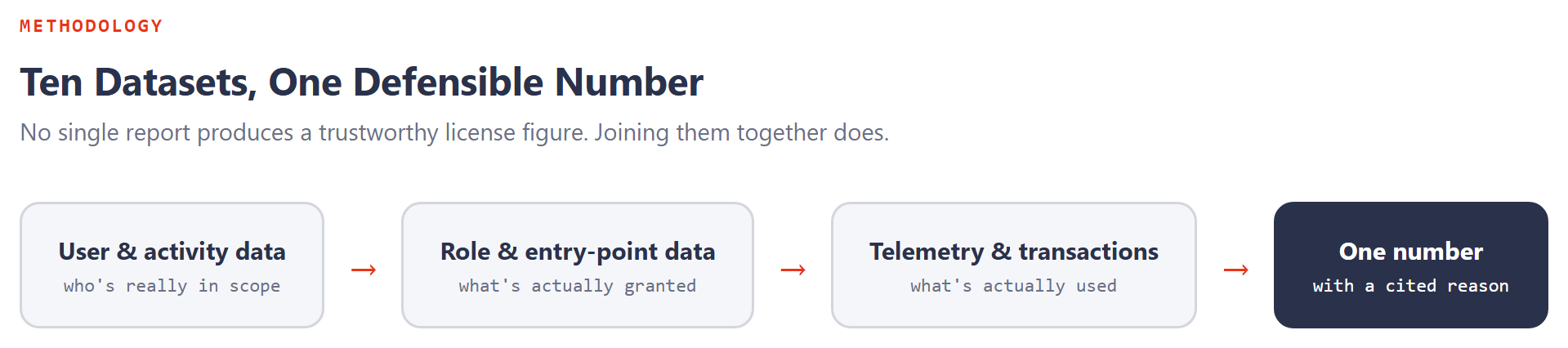
Clients ask a reasonable question early in most engagements: why do you need all of this? A license number that holds up under scrutiny isn't produced from one report. It comes from joining several datasets that each answer a narrow question on their own, and only become a defensible number once they're read together. Here's what we actually pull, in the order we pull it, and why each piece earns its place.
| What we pull | Why | What it gives us |
|---|---|---|
| Active Users & Invalid Users | Catch accounts deleted in Entra that still show active in D365 | A cleaner starting population, before anything else is analyzed |
| Application Users | Separate integration accounts from real named users | A licensing population that isn't distorted by service-to-service traffic |
| User Activity Aging + Telemetry | Neither source alone reliably distinguishes active from inactive | A defensible active/inactive split, not a guess from one report |
| Security User Role Association | See exactly which roles each user actually holds | The raw material for user-level, not just role-level, license calculation |
| User License by Role | Find which roles are creating Enterprise-tier requirements | A prioritized list of the roles most worth reviewing first |
| Security Analysis | Expand a role into its full duty/privilege/entry-point hierarchy | Visibility into what a role actually grants, not just its name |
| License Role & Privilege Requirements | Map each entry point to the SKU it actually qualifies for | The exact access path responsible for a license tier, not a guess |
| Telemetry, joined to Security Analysis | Compare what's granted against what's actually used | Evidence for which duties and privileges are safe to remove |
| Transactional evidence (CreatedBy / ModifiedBy) | Catch thin-client and integration users invisible to telemetry | Protection against deactivating someone who's genuinely still working |
| Device & service role classification | Confirm which roles are correctly exempt from named-user licensing | A model that doesn't over-license shared devices or under-govern integrations |
Why we start with the population, not the roles
Active Users, Invalid Users, and Application Users all answer one underlying question: who is actually in scope? Skip this step and every later number inherits the mistake: stale accounts inflate the count, integration accounts get billed like people, and role analysis runs against a population that was never accurate to begin with. This is the cheapest, fastest cleanup in the entire process, and it's the one most reviews skip.
Why activity gets checked twice, not once
User Activity Aging is fast and UI-based, which also makes it incomplete. It misses thin clients and integration-driven work by design. Telemetry fills that gap operationally, but has its own blind spots around action and output menu items. Neither source is trustworthy alone. Together, treating a user as active if either source shows activity, they produce a population that's genuinely defensible rather than merely fast to produce.
Why we go past the role name into the entry point
Security User Role Association, User License by Role, and Security Analysis exist because a role's name tells you almost nothing about what it actually costs. The License Role and Privilege Requirements views are what turn "this role requires Finance" into "this specific entry point, under this specific privilege, is the one requiring Finance." See our roll-up mechanics series for the full logic. Without that specificity, every recommendation is a guess dressed up as an analysis.
Why telemetry only counts once it's paired with something else
Telemetry answers "what did people actually touch," which is powerful, but only when it's checked against Security Analysis (what they could touch) and transactional evidence (what they created or modified even when the UI stayed quiet). Used alone, telemetry can lead to deactivating a genuinely active integration user just because their work never shows up as UI clicks. Used together with the other two, it becomes the strongest evidence in the entire review for what's actually safe to remove.
Why device and service roles get their own pass
Not every access path is meant to carry a named-user license in the first place. Device classifier roles and the large family of integration and background-operation roles exist precisely because Microsoft doesn't want shared devices or service accounts billed like individual business users. See our quick reference for the working list. Confirming these are classified correctly protects against two mistakes in opposite directions: over-licensing a shared warehouse scanner, and under-governing an integration account that's quietly been given more access than a no-license role should carry.
Where the official guidance lives
How we actually pull each one
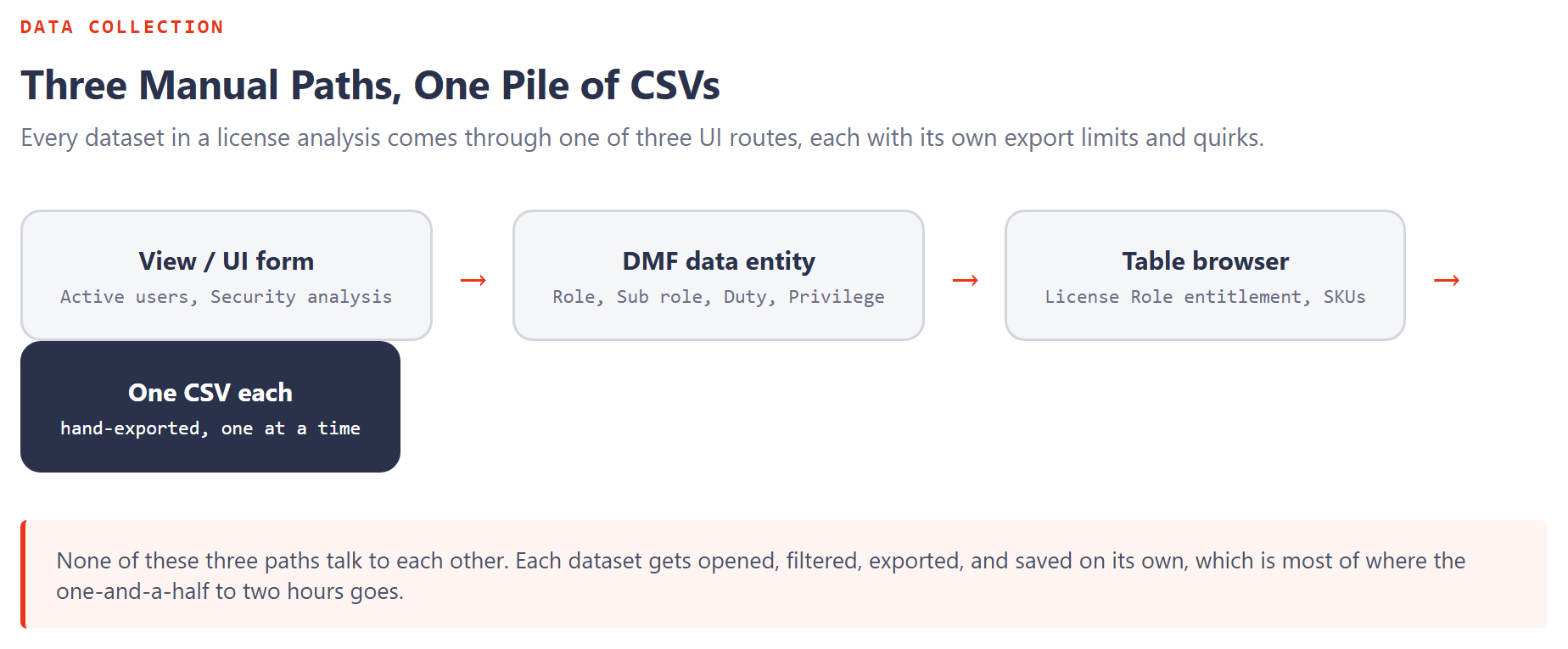
The table above is the "why." Here's the "how," the actual navigation path for every dataset, generalized from a real collection run. Three collection methods cover almost everything: a direct View/UI form, a Data Management Framework (DMF) export project, or the generic Table Browser pointed at a specific table name.
| Dataset | Collection type | Where to find it |
|---|---|---|
| Active users | View/UI | ?cmp=dat&mi=SysUserInfoPage |
| Application users | View/UI | ?cmp=dat&mi=SysAADClientTable (drop the Client Id column on export) |
| System security Role | DMF data entity | DMF export project, ?cmp=dat&mi=DM_DataManagementWorkspaceMenuItem |
| System security Sub Role V2 | DMF data entity | same DMF export project |
| System security Role Duty | DMF data entity | same DMF export project |
| System security privilege | DMF data entity | same DMF export project |
| Security user role association | DMF data entity | same DMF export project |
| User role org assignment (optional) | DMF data entity | same DMF export project |
| Case category by role (optional) | DMF data entity | same DMF export project |
| Security analysis | View/UI | ?cmp=dat&mi=UserSecGovRelatedObjects, rebuild before exporting, then add Role/Sub role/Duty/Privilege identifier columns |
| Security object license | View/UI | ?mi=UserSecGovLicenseObjects&TableName=SecurityRoleExplodedGraph, same four identifier columns added |
| User activity aging | View/UI | ?cmp=dat&mi=UserSecGovUserStat |
| License Role entitlement | Table browser | ?mi=SysTableBrowser&TableName=LicensingRoleRequirementsDetailedView, filtered to ENTITLED = 1 |
| Security role master data | Table browser | ?mi=SysTableBrowser&TableName=SecurityRole |
| User License by Role | Table browser | ?mi=SysTableBrowser&TableName=LicensingUserLicensesByRole |
| Entry Point Inferred Tables | Table browser | ?mi=SysTableBrowser&TableName=SecurityEntryPointInferredTables |
| Invalid users | View/UI | ?cmp=dat&mi=SysUserInvalidUsersPage |
| Current license subscription | Power Platform Admin Center | admin.powerplatform.microsoft.com, Billing → Licenses → Finance and Operations; no SQL or export path exists, this one is a manual screenshot every time |
Telemetry lives outside F&SC entirely
Every dataset above sits inside the F&O database. Telemetry doesn't, it lives in Application Insights, a separate Azure resource with its own access grant. We query it in KQL, in Azure Monitor Logs, switched to KQL mode. The short version:
pageViews
| project timestamp, name, user_Id, duration
| sort by timestamp desc
And the version scoped to a single environment, useful once a tenant has more than one:
pageViews
| extend environmentId = tostring(customDimensions['environmentId'])
| project timestamp, name, user_Id, duration, environmentId
| sort by timestamp desc
For the full Application Insights setup, what it costs against Microsoft's free tier, and the complete KQL used to turn this into a license and activity report, see our telemetry configuration walkthrough.
The questions that don't come from a table at all
Once the exports are in hand, we ask the client a short list of questions no dataset answers on its own:
- Business context. What lines of business, and which Finance & Operations modules are actually in use.
- User activity patterns. Shift work, warehouse and manufacturing floor execution, which third-party applications talk to D365 F&SC, and what integrations exist.
- Device roles. Are any security roles used exclusively on shared devices, warehouse mobile scanners, POS terminals, execution-floor kiosks? Those map to device-based classifier roles rather than named-user licenses.
- Integration roles. Which roles are the entry point for another application, Sales, Project Operations, Field Service, Expense Management, an ISV, or another Dataverse app?
- Excluded domains. Which domains belong to partners, not employees.
That last set of questions is really about classifying roles correctly before they ever reach the license calculation, batch job managers, business events roles, data management users, system administrators, and the roughly 50 other integration and background-operation roles that exist precisely because Microsoft doesn't want a service account billed like a person. See our quick reference for the full list.
No single dataset here produces a trustworthy number by itself. The outcome we're actually after is a license figure that survives the follow-up question, "how do you know?", with a specific, cited answer every time, not an estimate. This is the manual version of that process, the one anyone can run today with UI access alone. There's a faster path for the SQL-reachable pieces, see our companion article on pulling the same datasets with just-in-time access and a script.