
Microsoft's migration of finance and operations environments from Lifecycle Services to the Power Platform admin center runs 4 prerequisite checks before it starts, and one of them is database storage capacity. Here are five steps to read your allowance, find what's using it, and clear a deficit before you press Migrate.
"Database storage capacity is available." That's the third of four prerequisites on the Power Platform migration panel in Lifecycle Services, and the only one most teams can't fix in an afternoon. Microsoft's guidance for a failed check is one line: free or purchase enough capacity to clear the deficit.
Database capacity series. Part 1, how license cuts shrink the allowance; Part 2, the LCS to PPAC capacity check; Part 3, where the space goes in four databases; Part 4, what to delete, copy, archive or keep; Part 5, a 3PL tenant on its way from 900 GB to 350 GB. The Part 5 tenant runs the 3PL and Freight Reconciliation solutions.
In plain words: Microsoft is moving the management of D365 Finance and Supply Chain environments from Lifecycle Services (LCS) to the Power Platform admin center (PPAC). In LCS, you got environment slots with your subscription. In PPAC, environments are provisioned against your storage allowance. So before you move, you need to know whether you're inside that allowance.
What the migration checks
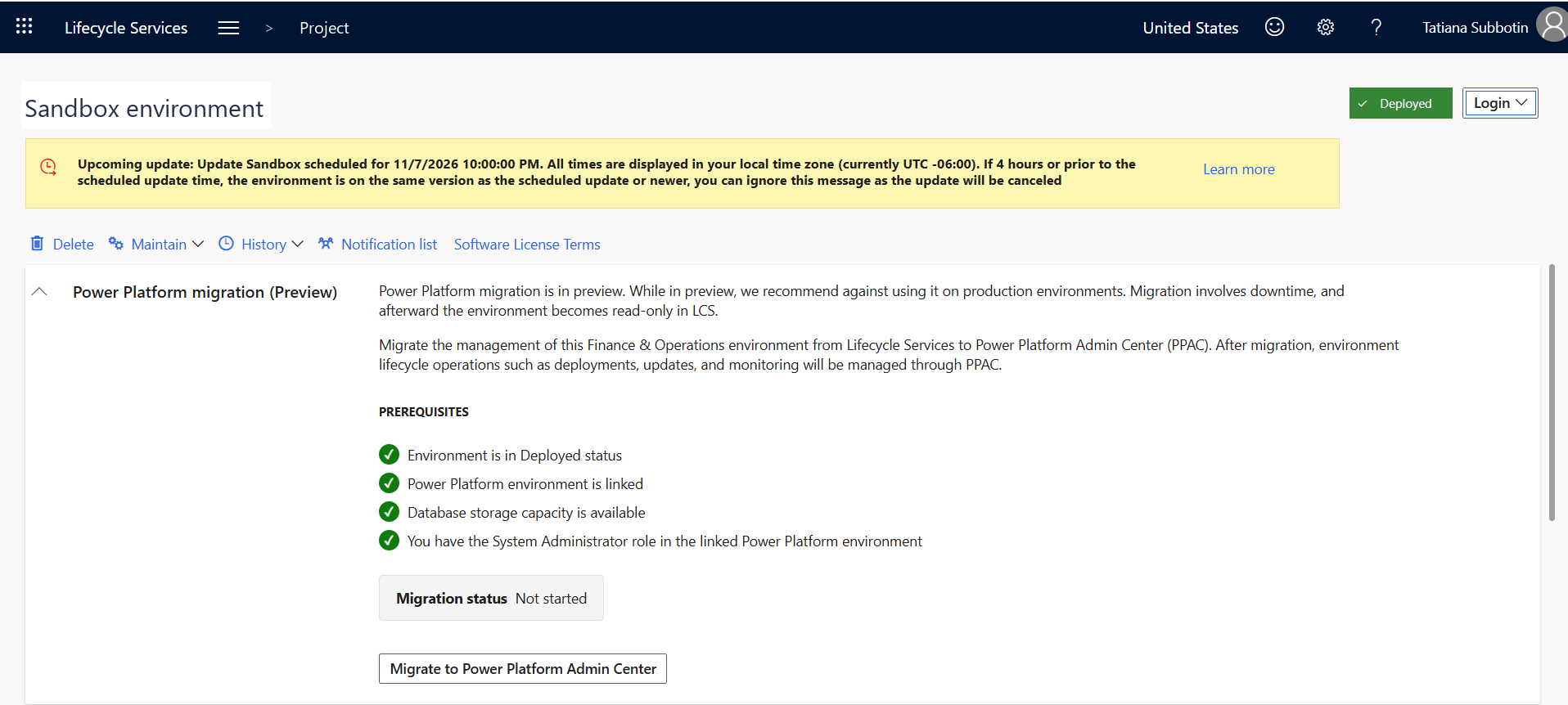
Open an environment in LCS and you'll find a Power Platform migration (Preview) section with four prerequisites: the environment is in Deployed status, a Power Platform environment is linked, database storage capacity is available, and you have the System Administrator role in the linked Power Platform environment.
Know what you're signing up for. The migration is in public preview, and Microsoft recommends against using it on production while it is. It's one way: it can't be reversed through LCS, and the environment becomes read-only there afterward. Plan for about 15 minutes of downtime per AOS instance, the application servers that run D365. The database itself isn't moved. Microsoft's page doesn't say which database capacity the check validates, so treat both Operations and Dataverse as in scope.
Before you start
- Commerce. Microsoft's page says environments with Commerce aren't supported during the preview, and the prerequisite checks don't detect Commerce. A green panel doesn't clear you.
- Developer environments. Cloud-hosted developer environments aren't supported. Microsoft points developers to unified developer environments (UDE) and builds to Azure Pipelines.
- Production. Microsoft recommends against migrating production while the feature is in preview, so plan a sandbox first.
Step 1: read the capacity summary
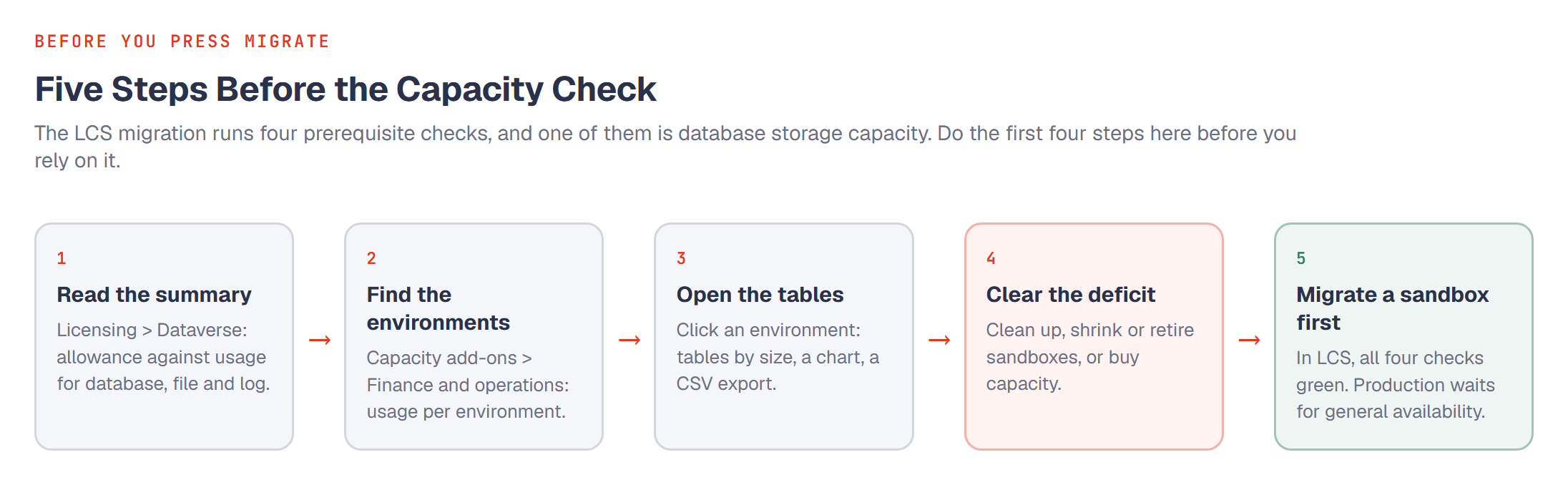
In PPAC, go to Licensing and open Dataverse under Products. The Summary tab shows combined Dataverse and Operations entitlements and their consumption, for database, file and log. A red bar means you're over. The numbers lag by about a day.
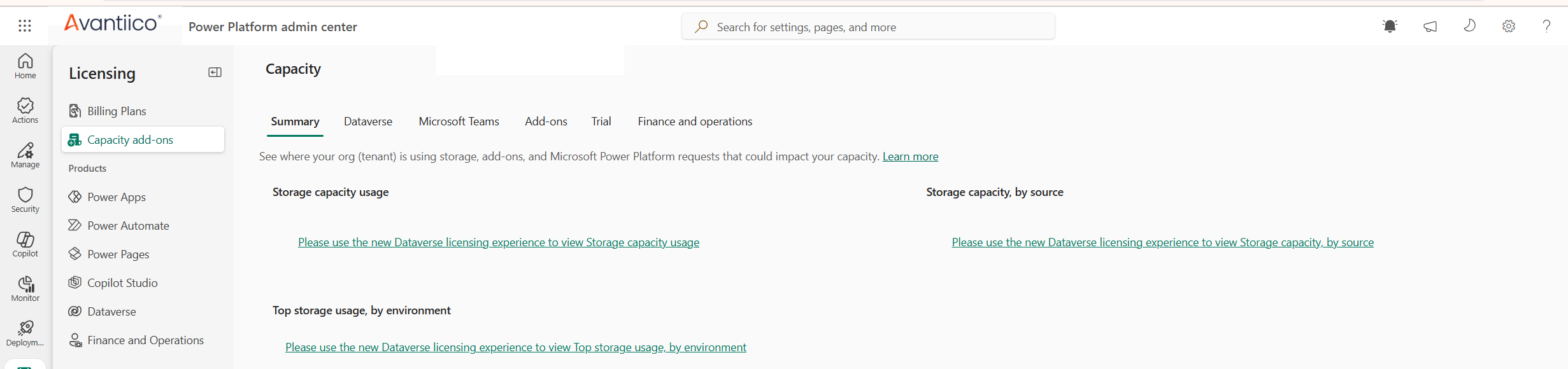
If you go to Capacity add-ons first, out of habit, you'll find that its Summary tab now sends you elsewhere.
Part 1 shows that summary for a real tenant, and how its allowance follows from its license count.
Step 2: find the environments using it
Under Capacity add-ons, the Finance and operations tab lists each finance and operations environment with its database usage. Sandboxes are usually the surprise. Each one counts against the same allowance as production, and a sandbox refreshed as a full copy of production is as big as production.
Step 3: open the tables
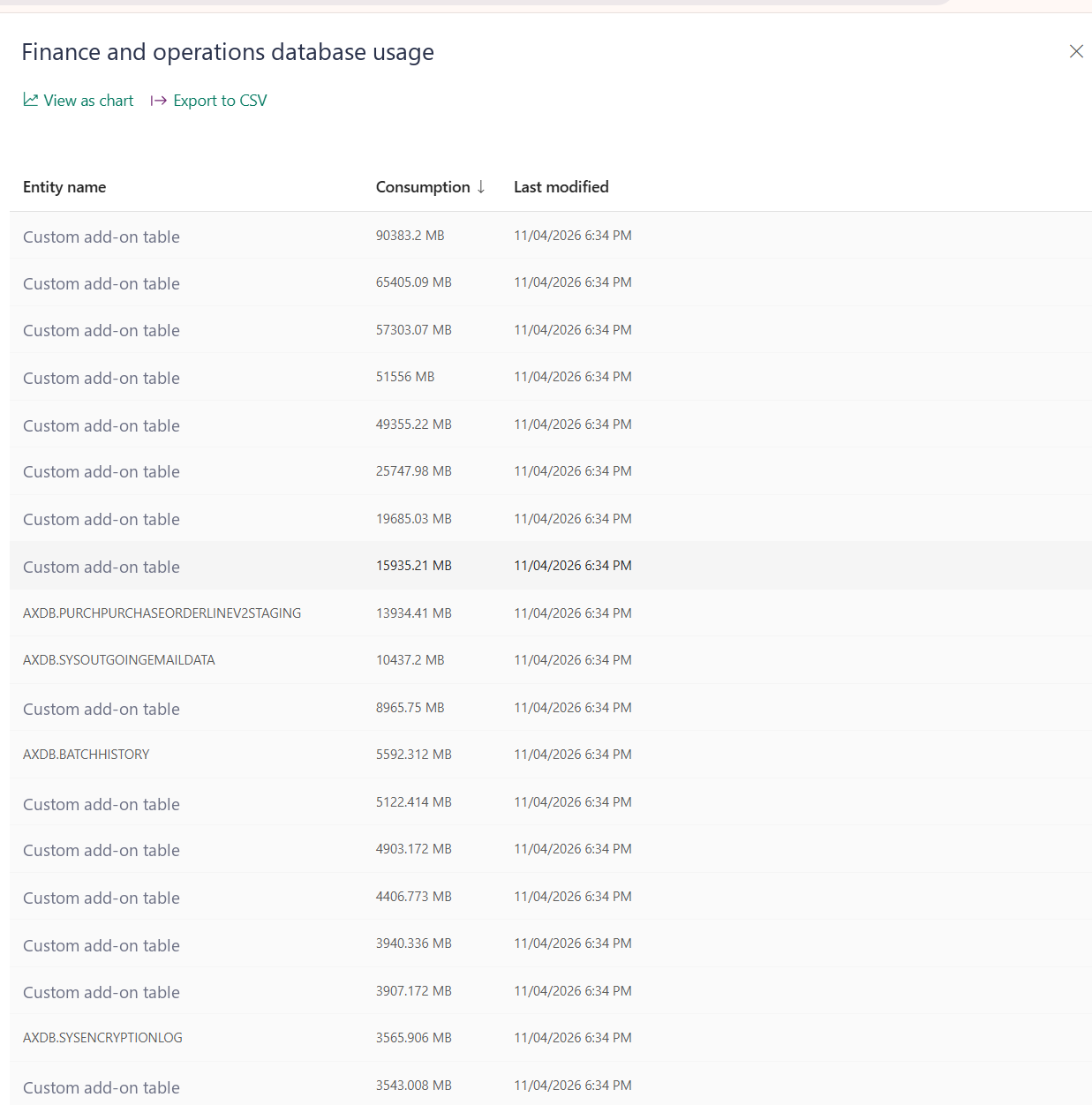
Click an environment to open its database usage by table, sorted by size, with View as chart and Export to CSV. This is where you find out whether the space is in standard tables that standard cleanup routines handle, or in custom tables that need a decision.
Step 4: clear the deficit
There are three ways, and most tenants end up using some of each.
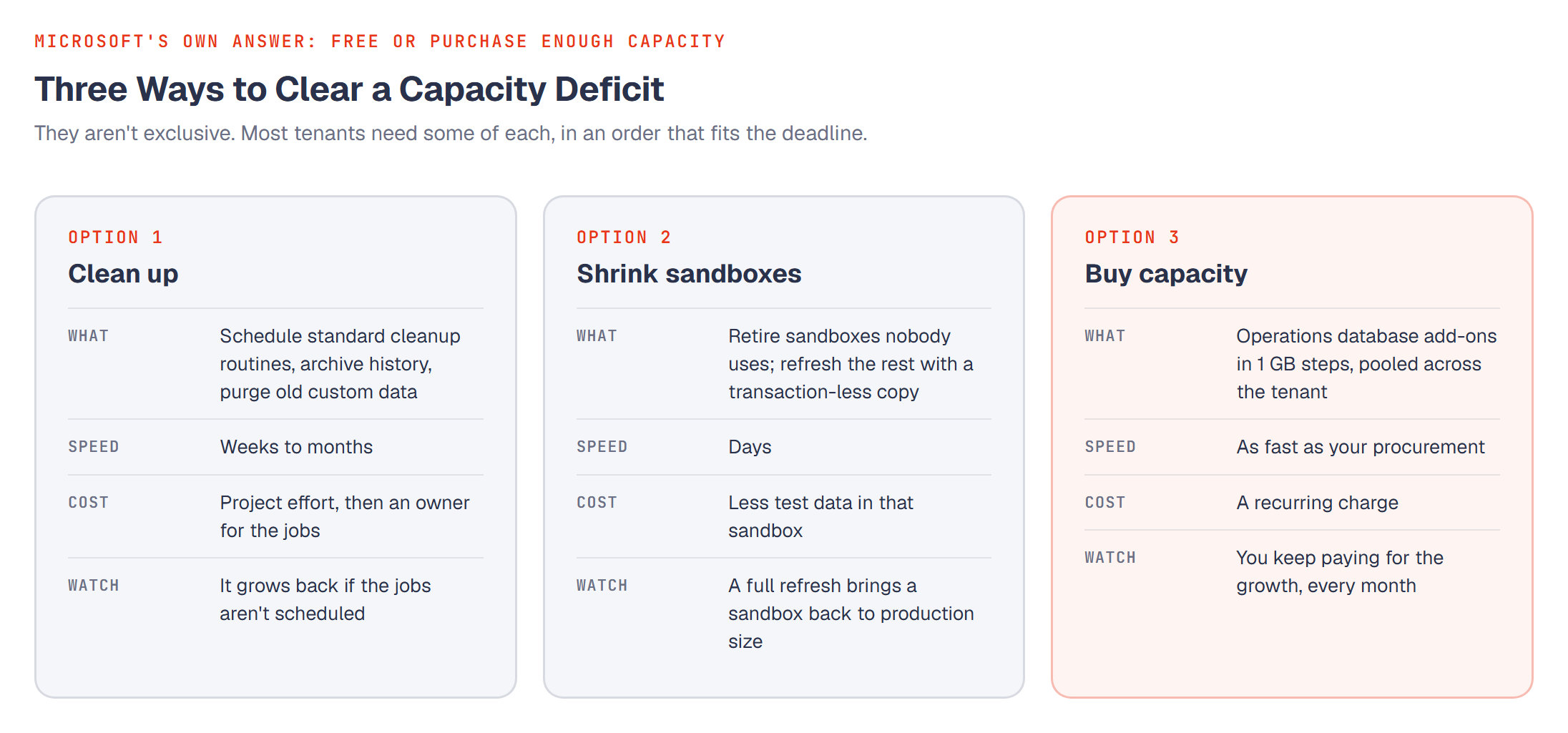
- Shrink sandboxes first. It's the fastest lever. Retire the ones nobody uses, and refresh test sandboxes with a transaction-less copy, which brings configuration and master data without the transactions. Microsoft recommends it to drastically reduce sandbox storage.
- Clean up next. Standard cleanup routines that were never scheduled are the most common finding in the databases we've assessed. Part 4 covers what's safe to delete.
- Buy what's left. Operations capacity add-ons come in 1 GB increments and are pooled across the tenant. If the deadline is close, buying enough to migrate and cleaning up afterward is a legitimate plan, as long as somebody owns the cleanup.
The summary page also offers Enable capacity extension. Its own tip says you can request an extension after 80% overall consumption, up to three times in the last 365 days. We haven't relied on it in a project yet, so read Microsoft's terms for it before you plan around it.
Step 5: migrate a sandbox first
When all four checks are green, start with a sandbox, outside business hours. In PPAC afterward, confirm that environment details, monitoring, backup, restore, copy and update operations work as expected. Production waits until the feature leaves preview.
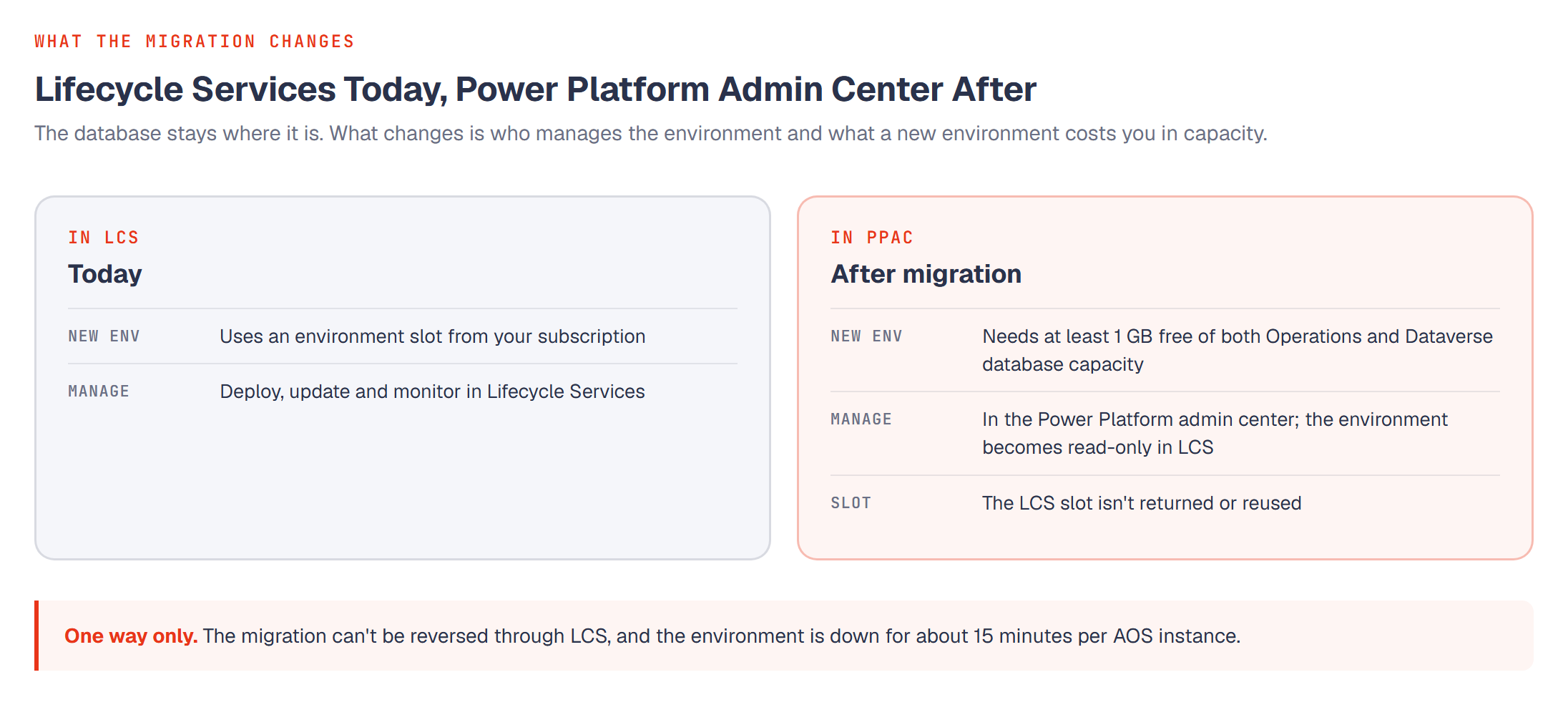
After migration, every new sandbox is paid for in database capacity: Microsoft says a new environment needs at least 1 GB free of both Operations and Dataverse database capacity.
This is a preview feature, and Microsoft's page can change before general availability. Recheck it before you plan a production migration, and don't read a green capacity check as proof that you're inside your allowance on every meter.
The migration's capacity check is a deadline for a problem most tenants already have. Read the summary, find the environments and tables behind it, clear the deficit with the cheapest mix of sandbox, cleanup and purchase, and migrate a sandbox first.
Frequently asked questions
Does the LCS to PPAC migration move our database?
No. Microsoft's page says the migration changes how the environment is managed. The database isn't moved, but the environment is unavailable for about 15 minutes per AOS instance.
Can we migrate production now?
The action may be available, but Microsoft recommends against migrating production while the feature is in public preview. Start with a sandbox.
What if the capacity check fails?
Microsoft says to free or purchase enough capacity to clear the deficit. In practice that means retiring or shrinking sandboxes, scheduling cleanup, buying capacity, or a mix.
Do we get our LCS environment slot back?
No. The slot isn't returned or made available for another environment. Future environments are provisioned against available Power Platform capacity.