
We covered how a single privilege's license requirement gets set in the previous article: the shared requirement across every entitled entry point, not the most expensive one any single entry point could theoretically justify. That's the easy part. The harder, more expensive question is what happens once that privilege sits inside a duty, the duty sits inside a role, and the role lands on a real person who might be holding two or three roles at once.
The most common mistake in D365 licensing analysis is stopping at the role name. Privilege analysis explains the licensing driver. Role analysis explains where the requirement is grouped. But the number you actually have to buy is decided at the user level, across everything that user is assigned. That's where a role that looked cheap in isolation quietly earns an attached license.
How a role's requirement forms
At the role level, the engine looks for the license coverage that's common across every privilege inside that role. Add privileges one at a time and watch what survives:
A role with a privilege entitled for Finance, Supply Chain Management, and Commerce, alongside a second privilege entitled for just Finance and Supply Chain, already narrows the shared set to Finance and Supply Chain. Commerce drops out because it isn't common to both. Add a third privilege that only qualifies for Supply Chain Management, and the role's requirement narrows again, this time to Supply Chain Management alone.
The real calculation happens at the user, not the role
This is the point worth repeating: license requirements should be calculated at the user level, not the role level and not the privilege level. Roles and privileges matter as inputs. The actual number you owe Microsoft is set by the full combination of access one person holds.
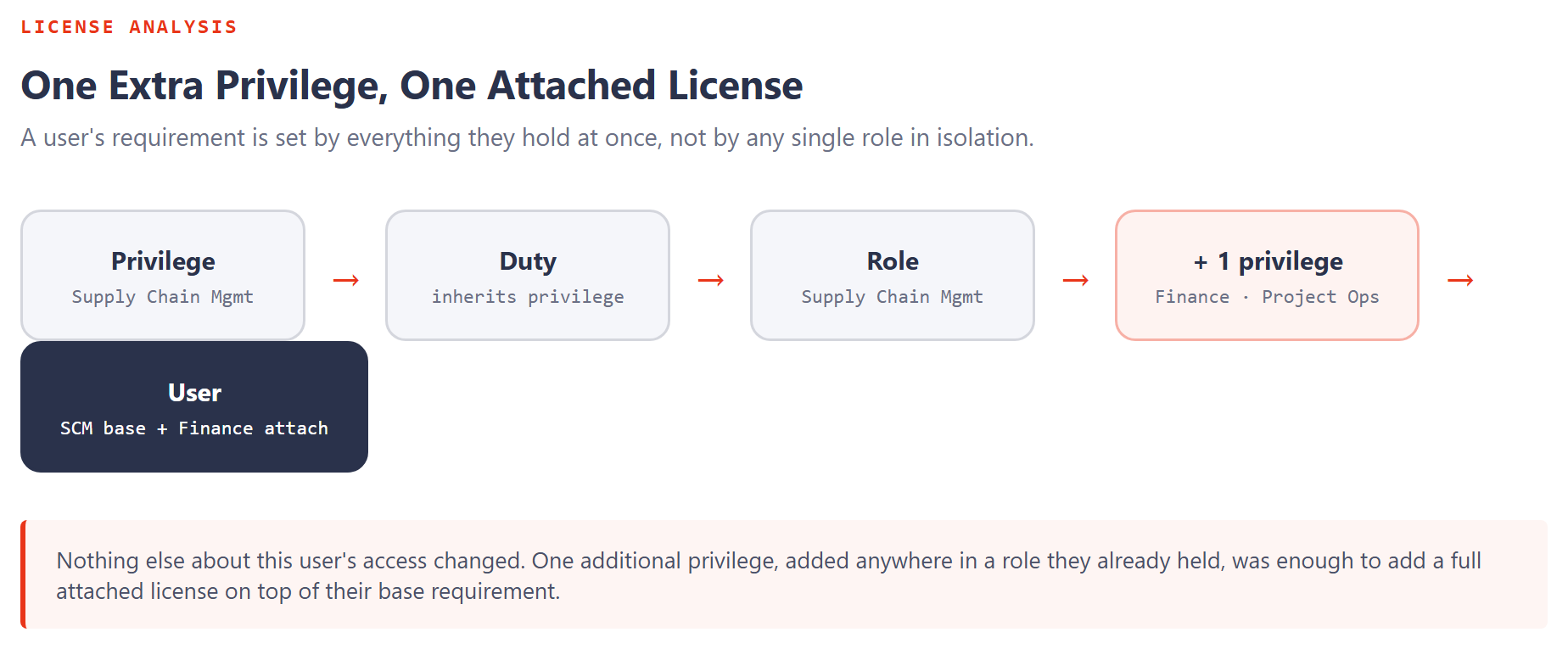
If a user has only the Supply Chain Management role above, their requirement is Supply Chain Management. Add one more privilege to that role, say, one that's entitled for Finance and Project Operations, and the existing Supply Chain Management coverage no longer automatically extends to it. The engine has to check whether every entry point under the new privilege is covered by Supply Chain Management. If some aren't, Supply Chain Management alone stops being enough, and the user now needs an additional attached license: Finance attached, or Project attached, depending on which entry points are actually uncovered.
One extra privilege, added almost anywhere in a role a user already holds, can push that user from a single base license to a base-plus-attach combination, even when the rest of their access hasn't changed at all.
Base versus attach isn't arbitrary
When a user genuinely needs two license families, the more expensive one becomes the base and the cheaper one attaches to it. If Supply Chain Management and Project Operations are both required, Supply Chain Management is the base because it costs more, and Project Operations attaches at the lower price. When two required licenses are priced identically, either can serve as base. The commercial choice is yours, not something the engine forces on you. Worth knowing before procurement locks in an order that costs more than it needed to.
Design changes the outcome, not just the entitlement logic
Once a role starts accumulating privileges from several different license families, it becomes progressively harder to optimize, not because the entitlement math changes, but because the role itself is now doing too much. Splitting one overloaded role into two purpose-built roles, each scoped to a single license family's worth of privileges, gives the engine a cleaner picture to work from and frequently produces a materially cheaper combination for the same net access. Security design is not only an access-control decision. It directly determines which base-and-attach combination gets recommended.
Device licenses run on a different mechanism entirely
Named-user licenses aren't the whole picture. Device licenses don't show up in the standard role-requirements view at all. They're triggered by the nature of the operation performed, not by a role assignment. Warehouse mobile device operations, manufacturing floor operations, and point-of-sale operations are the typical patterns, and when several people share a qualifying device, that device license can cover all of them instead of licensing each person individually. If you want to identify device users explicitly, Microsoft has published device-based classifier roles for exactly this purpose (production floor worker, retail store manager, warehouse worker).
Operations-Activity and Team Members need their own lens
Not every privilege in an expensive role is itself expensive. A privilege where every entry point qualifies for Operations-Activity is, on its own, an Activity-level privilege, regardless of what the rest of the role requires. The same goes for privileges that qualify all the way down to Team Members. The user's overall requirement can still land on a higher tier because of other roles they hold, but knowing which specific privileges inside an expensive role are actually cheap on their own is exactly what tells you where to start optimizing.
That ordering matters in practice: if a role's target is Team Members, don't start by reviewing the user summary. Start by reviewing the privileges inside the role and find the one sitting above the Team Members threshold. That's the first, and often only, thing that needs to change.
Licensing is driven by the actual securable objects assigned through privileges, rolled up across every role a user holds, not by what any single role's name implies. Privilege analysis, role analysis, and user analysis each answer a different question, and accurate licensing decisions need all three.
We've now covered how requirements build from a single entry point up to a real user. Next: the specific, repeatable patterns where a security configuration that looks like untouched, standard Microsoft actually isn't, and quietly inflates license cost for hundreds of people at once.