
Most D365 Finance & Supply Chain licensing reviews start the same way: pull a user export, check a handful of roles, disable a few obviously stale accounts, and call the population clean. It feels productive. It usually isn't. Everything a licensing review concludes afterward is only as trustworthy as the user list it started from, and a rushed first pass leaves that list wrong in ways that don't announce themselves.
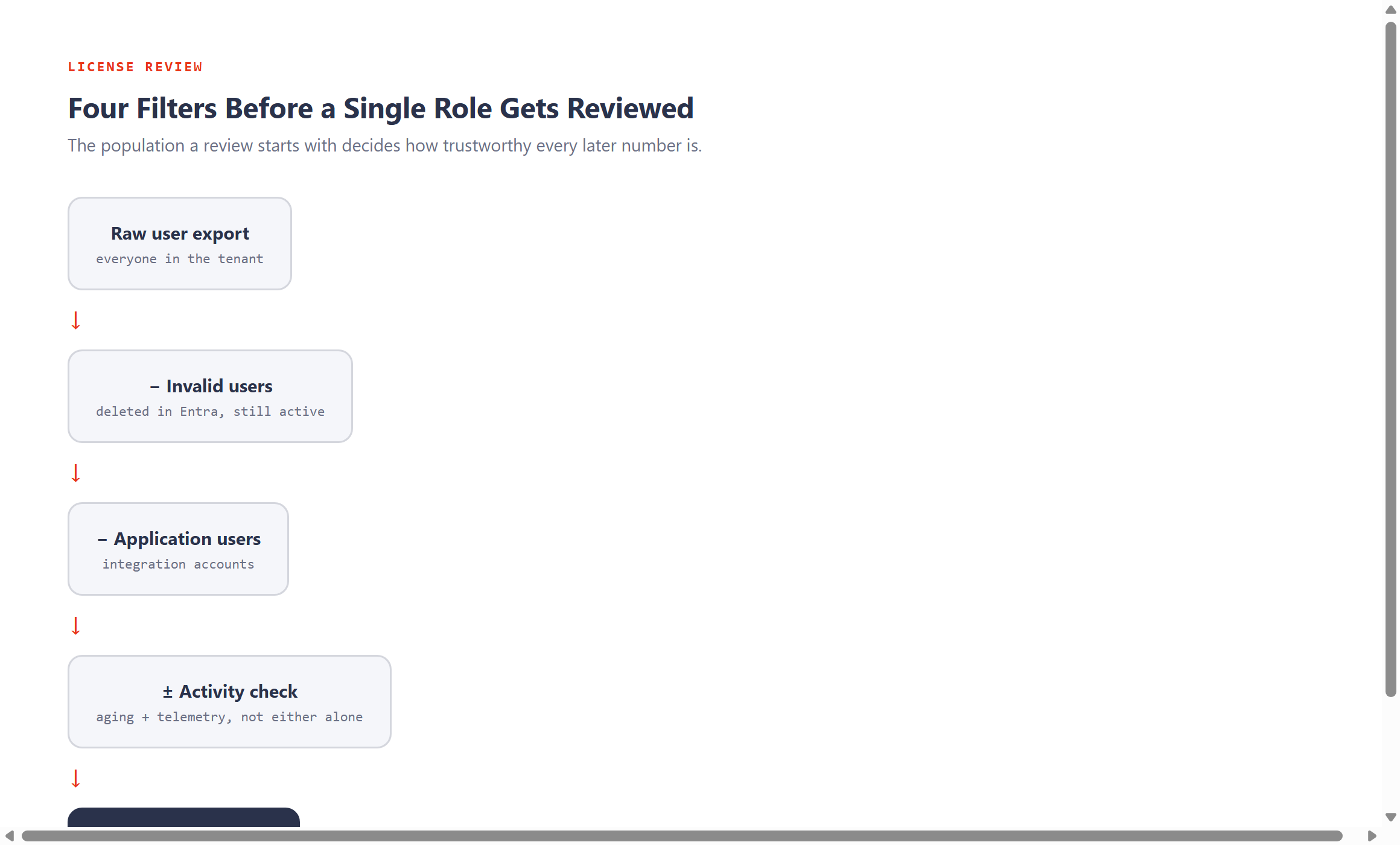
The real starting point isn't the license count. It's the evidence behind who's actually in scope. Before touching a single role, four comparisons are worth running in order.
1. Active users against invalid users
The Active Users form shows who's active in the environment and whether they've ever logged in. A user showing all zeros is a strong signal the account has never been used. The Invalid Users form catches something different: accounts that were deleted in Entra but are still showing as active in D365 F&SC. That mismatch happens more often than most teams expect, and it doesn't always create a direct licensing cost on its own. What it does create is noise in every review that follows, and it's usually the fastest, lowest-risk cleanup available before deeper analysis starts.
2. Active users against application users
Application users are integration accounts, built for service-to-service traffic rather than a person sitting at a keyboard. Treat them like ordinary named users in a license review and the whole population gets distorted before the analysis even begins. Pull the list, exclude them from standard user-license review, and validate that they're genuinely being used only for integration or background operations. One caution worth carrying forward: if Microsoft's own telemetry shows an "application user" account interacting with business entry points instead of service entry points, that account may not be behaving like a legitimate application user anymore, and deserves a second look.
3. User activity aging, checked against telemetry, not instead of it
This is where the first serious mistake usually happens. A team pulls one inactivity report, labels a batch of users inactive, and starts removing access. User Activity Aging is a genuinely fast way to spot users who look inactive in the UI. It's also incomplete on its own, because it only sees UI-based activity, and some real, active users interact with D365 F&SC through channels the UI report never catches.
Telemetry closes that gap. Reviewed side by side with Activity Aging, it regularly shows real usage on accounts the aging report marked as inactive, including some of the more active users in the whole system. The safer rule: treat a user as active if either source shows activity, keep those users in the detailed analysis, and only treat the remainder as candidates for deactivation, pending validation.
A single inactivity report is a hypothesis, not a conclusion. Treat it as one until a second, independent source agrees with it.
4. Watch for thin-client and integration users specifically
Not every legitimate user ever touches the D365 F&SC interface directly. Someone working exclusively through a thin-client front end, or through an integration, may never register in either User Activity Aging or standard telemetry, while still creating or modifying transactions that genuinely matter to the license count. When a batch of "inactive" users share a common role, especially one that looks like it supports an integration, check the transaction tables directly: CreatedDateTime, CreatedBy, ModifiedDateTime, ModifiedBy. If those users are creating or modifying business records, they stay active in the analysis regardless of what the UI-based reports show, and the role they're using is worth flagging as an integration role rather than a standard one.
This first pass doesn't solve licensing on its own. It makes everything that follows trustworthy. A wrong user population inflates role analysis, overstates license counts, keeps inactive accounts in scope, and blends technical accounts in with real ones. Every later number inherits whatever mistakes are baked in here.
Once the population is clean, the harder question follows: which roles, role combinations, and entry points are actually driving what you're being asked to pay. That's next.