
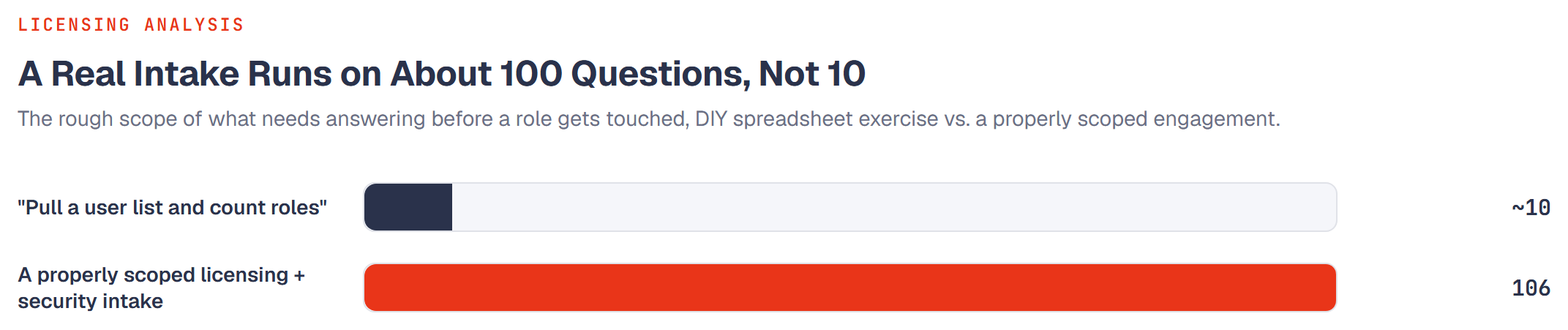
Ask most organizations what a D365 licensing review involves, and the answer is a short list: pull the user count, pull the role list, compare both against Microsoft's guide, see where the tiers look wrong. That's a real starting point. It's also maybe ten questions out of what a properly scoped engagement actually needs answered before anyone touches a single role.
Our own intake for a full licensing and security analysis runs to 106 questions, split across current-state discovery and redesign constraints. Most of it isn't exotic, it's the difference between a review that produces a number you can act on and one that produces a number that quietly falls apart the first time someone asks a follow-up question.
What almost everyone has ready
To be fair to the "pull a list and count" approach, it's not wrong, it's incomplete. Most organizations walk in already able to answer the basics: how many enabled user accounts exist, roughly how many security roles are in play, which EA or CSP agreement they're on, and what SKUs they've purchased. That's real, useful information, and it's exactly where a review should start.
It's also where most reviews stop. The other 95 or so questions are the ones that determine whether the numbers built on top of that foundation are trustworthy, or just confident.
Six things almost every organization misses
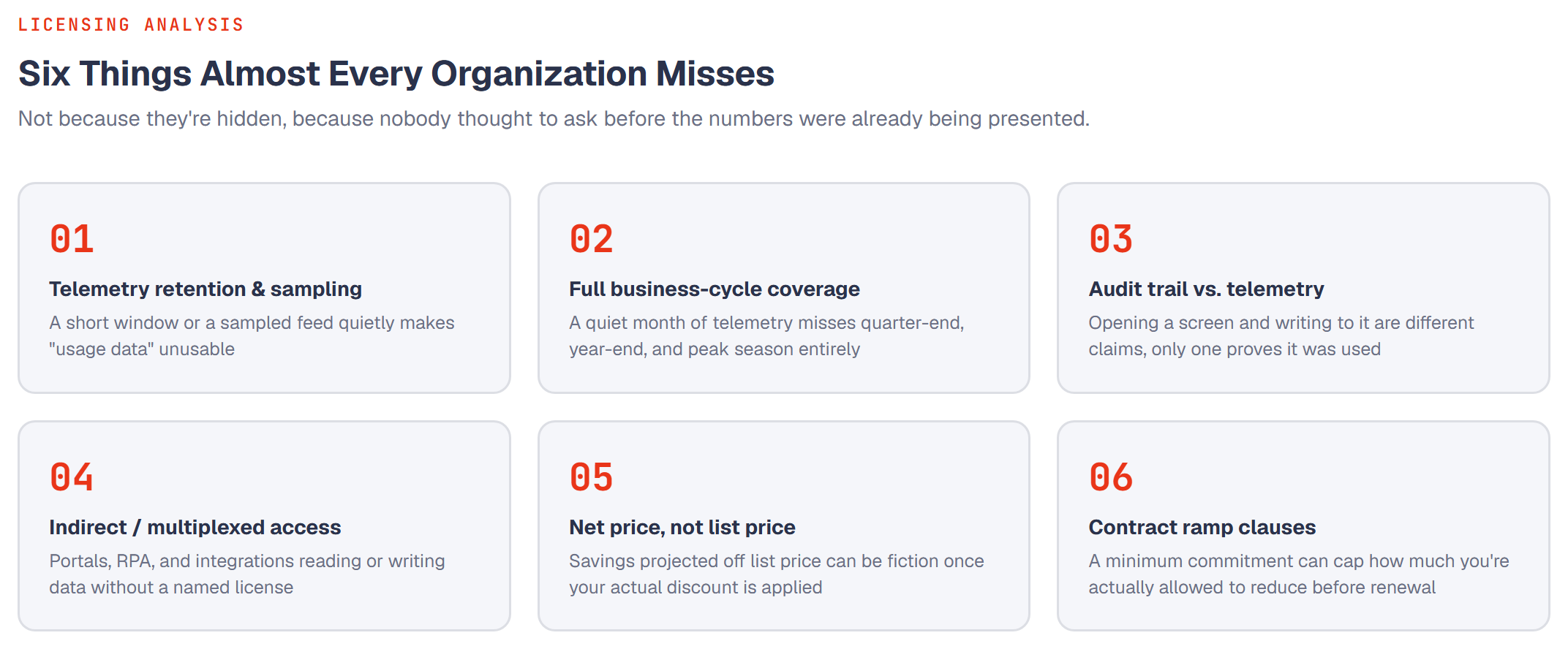
None of these are hidden. They're just not the first thing anyone thinks to ask, which is exactly why they're worth naming explicitly.
1. Telemetry retention and sampling
"We have usage telemetry" and "we have usage telemetry we can actually trust" are different claims. If Application Insights retention is set short, or sampling is enabled to control cost, the "usage data" behind a role recommendation can be a thin, biased slice of what people actually did. A review that doesn't ask how much history is retained, and whether sampling is on, can hand back a confident-looking number built on a gap nobody flagged.
2. Full business-cycle coverage
A telemetry window that happens to fall in a quiet month will never see the privileges that only light up at quarter-end, year-end close, budget season, or the one week a year physical inventory runs. Those are exactly the privileges most likely to get flagged "unused" by a review that only looked at a typical Tuesday.
3. Audit trail vs. telemetry
Opening a screen and writing to it are two different claims, and only one of them proves the access was actually exercised. We've written about this distinction in detail: telemetry shows someone navigated somewhere, the audit trail shows they changed a record. A review that only has one of the two is working with half the evidence, and doesn't always say so.
4. Indirect and multiplexed access
Portals, RPA, middleware, and Power Platform apps that read or write F&SC data on a person's behalf, without that person holding their own named license, are a genuine compliance exposure, not just a modeling detail. Most organizations haven't inventoried every path like this into their own system, which means most reviews don't ask about it either, and a licensing number that ignores multiplexed access can be wrong in the direction that gets flagged at audit, not the direction that saves money.
5. Net price, not list price
A savings projection built on Microsoft's list price is a real number about a hypothetical company that pays list price. If your actual discount is meaningful, and most negotiated agreements have one, the dollar impact of any recommendation needs your net price to mean anything. Asking for a discount band, not exact figures, is usually enough, but skipping the question entirely turns every number in the deliverable into a rough estimate dressed up as a precise one.
6. Contract ramp clauses
This is the one that surprises people most: you can find a genuinely large, well-evidenced reduction opportunity and still not be able to act on most of it before your next renewal, if your agreement carries a minimum-commitment or ramp clause. Knowing that constraint before the analysis starts changes how the recommendation gets framed, from "reduce spend now" to "here's the evidence, here's what's actionable today, here's what's banked for renewal."
Optimization isn't a single right answer. Minimizing license cost, minimizing the number of roles a security team has to manage, and minimizing user disruption pull in different directions, and a review that doesn't ask which one you're actually optimizing for will hand you a technically correct answer nobody asked for. The honest version of this work presents a small set of strategies, each with its own cost, role count, and disruption trade-off, and lets the client choose, rather than presenting one number as if there were only ever one possible design.
The part that stays human on purpose
None of this is an argument for a purely mechanical process. A properly scoped engagement leaves explicit room for a manager to say "this person has no usage evidence for this access, and I want them to keep it anyway," for new hires, backup coverage, or oversight that looks unused precisely because it's supposed to be quiet. It also leaves room for a client to name specific privileges, postings, approvals, payment actions, that must never be auto-dropped regardless of what the evidence says. An evidence-based review that can't accommodate a deliberate human override isn't more rigorous for ignoring it, it's just less useful.
The gap between "we counted the users and roles" and "we know this number will hold up" is almost entirely made of questions that are easy to ask and easy to skip. Asking them upfront costs a conversation. Not asking them costs a recommendation you can't fully act on, or can't fully defend, months into the project.
If you're planning a review of your own, whether with us or with anyone else, the fastest way to gauge how rigorous it will actually be is to see how many of the six questions above get asked before the first role gets touched.