
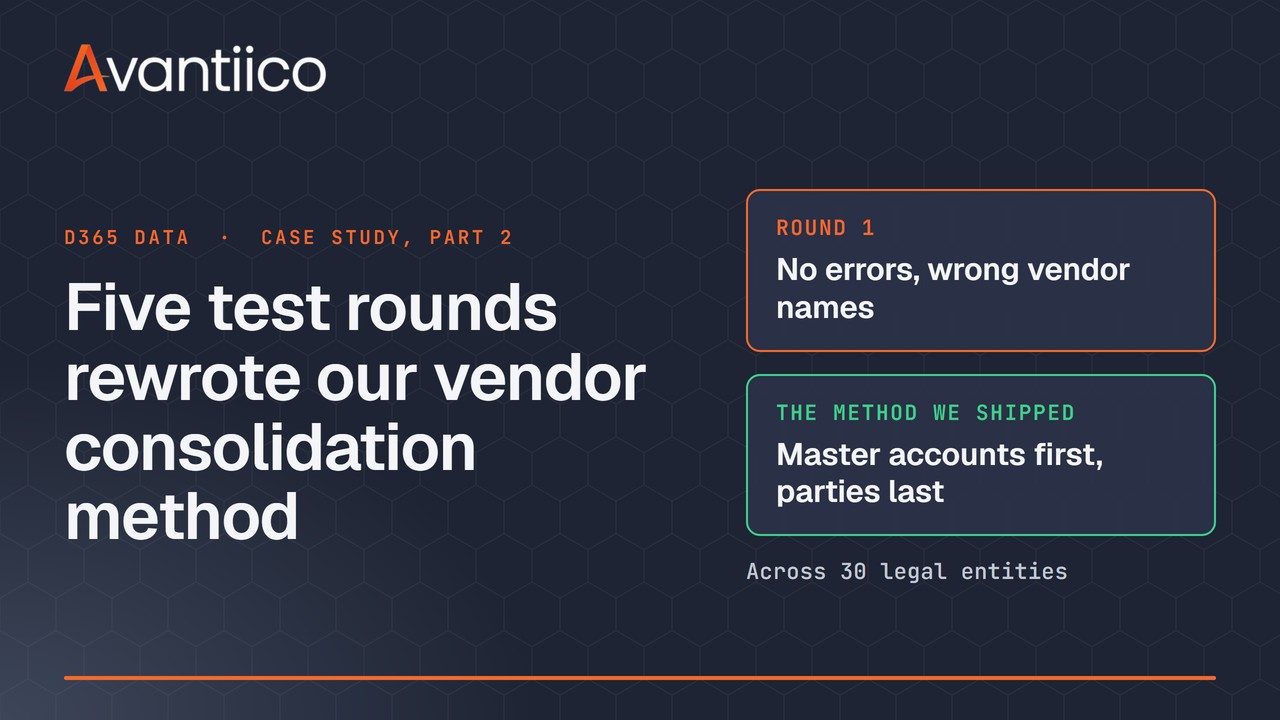
Our first vendor consolidation procedure ran without a single error and still left some vendors showing another supplier's name. Five rehearsals across 30 legal entities later, the method we took to production consolidated master accounts first, merged parties last, and checked every transaction type it knew of against a copy of production.
Round 1 produced no technical error at all. The scripts completed, and some vendors displayed the wrong name. That failure shaped everything after it, because it proved that a run that succeeds can still produce the wrong data.
Two-part case study. This is part 2. Part 1 covers the business side: what one vendor master changed for AP.
In plain words: in D365, a vendor account points to a party, the global record that holds the name and address. Consolidating vendors means renumbering accounts so duplicates point to one survivor, and merging the parties behind them. Both operations are routine. The order you run them in isn't.
A script can succeed while the data fails
The case was several vendors in one legal entity, each tied to a different party. Our first procedure merged the parties before it consolidated the vendor accounts. That left party assignments the process wasn't built to resolve, and some survivors ended up attached to the wrong party.
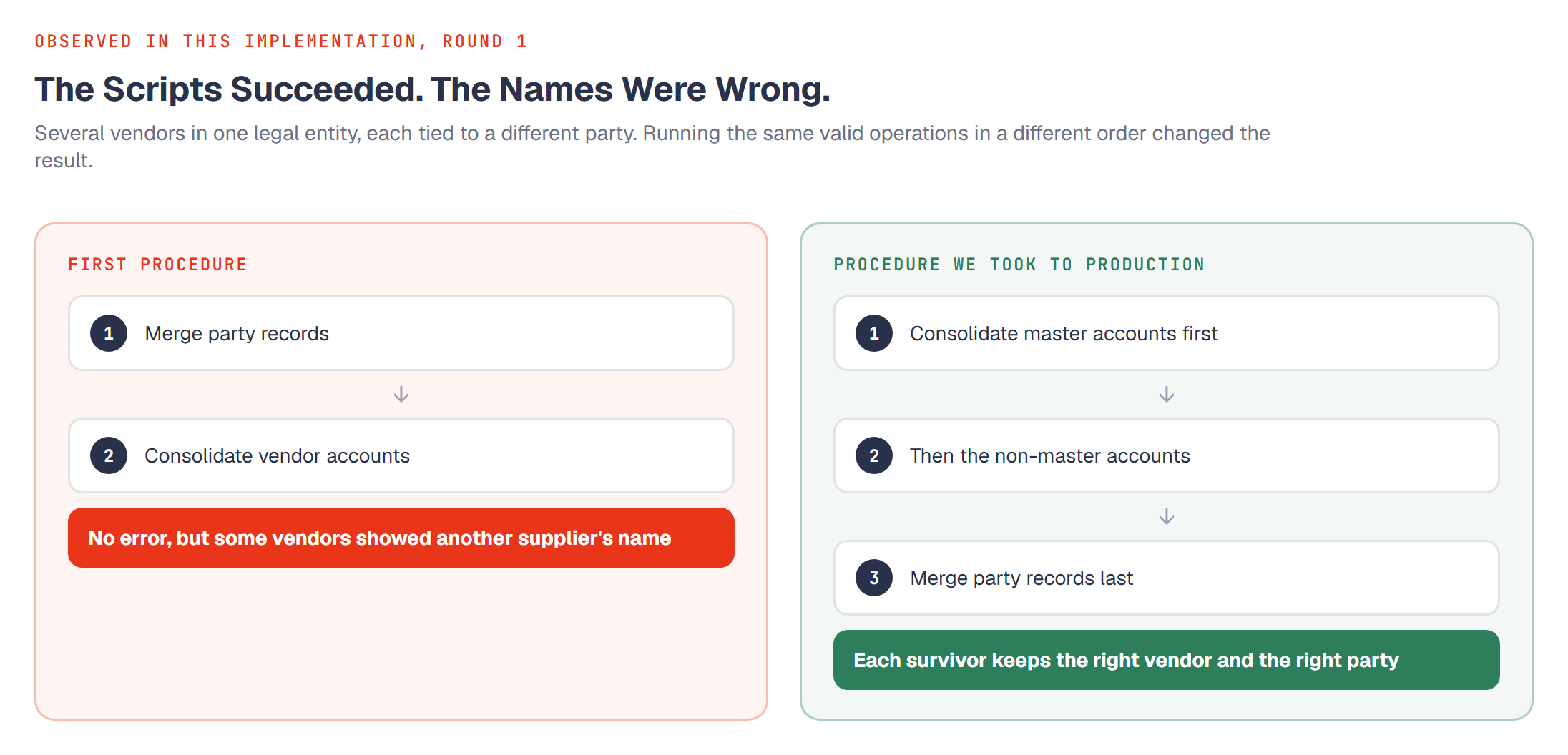
The rule we took to production: consolidate vendor accounts first, with designated master accounts before the rest, and merge parties last. That's what we observed in this implementation and its customizations, not a sequence Microsoft prescribes for every system. The general point holds anywhere: operations that are each valid can produce wrong master data in the wrong order.
Where the standard tools stop
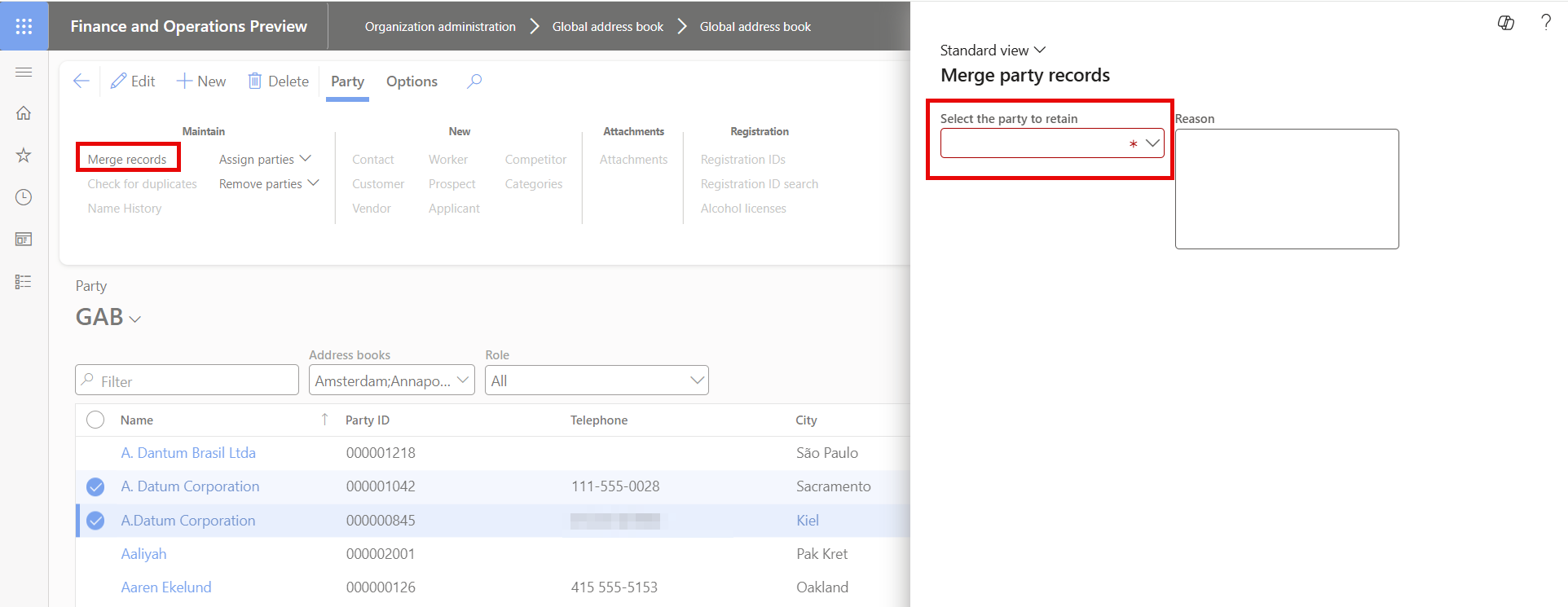
D365 has the two building blocks. In the global address book, Merge records combines party records, and you choose the party to keep.
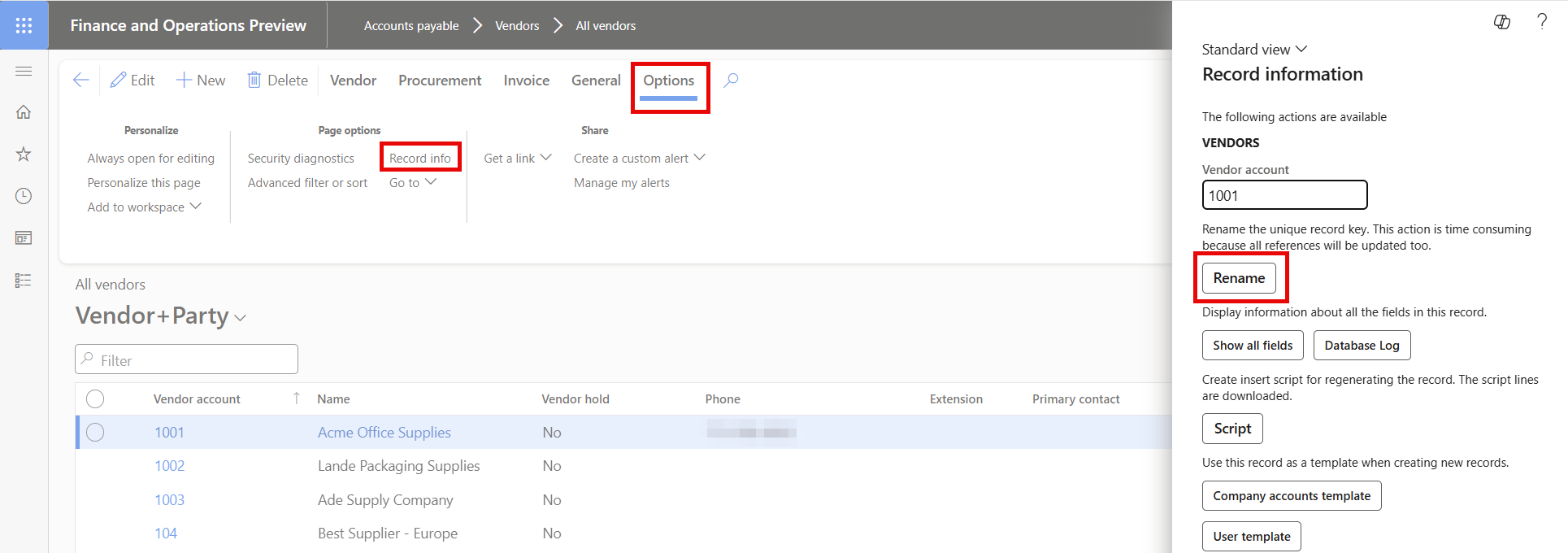
And on any vendor, Options, then Record info, offers Rename, which changes the account number and updates every reference to it.
Neither covered our full case on its own: many vendors in the same legal entity collapsing into one survivor, at volume, with validation. Our developer built the consolidation procedure around these standard mechanisms, with checks matched to how they behave.
Five rounds, two teams improving at once
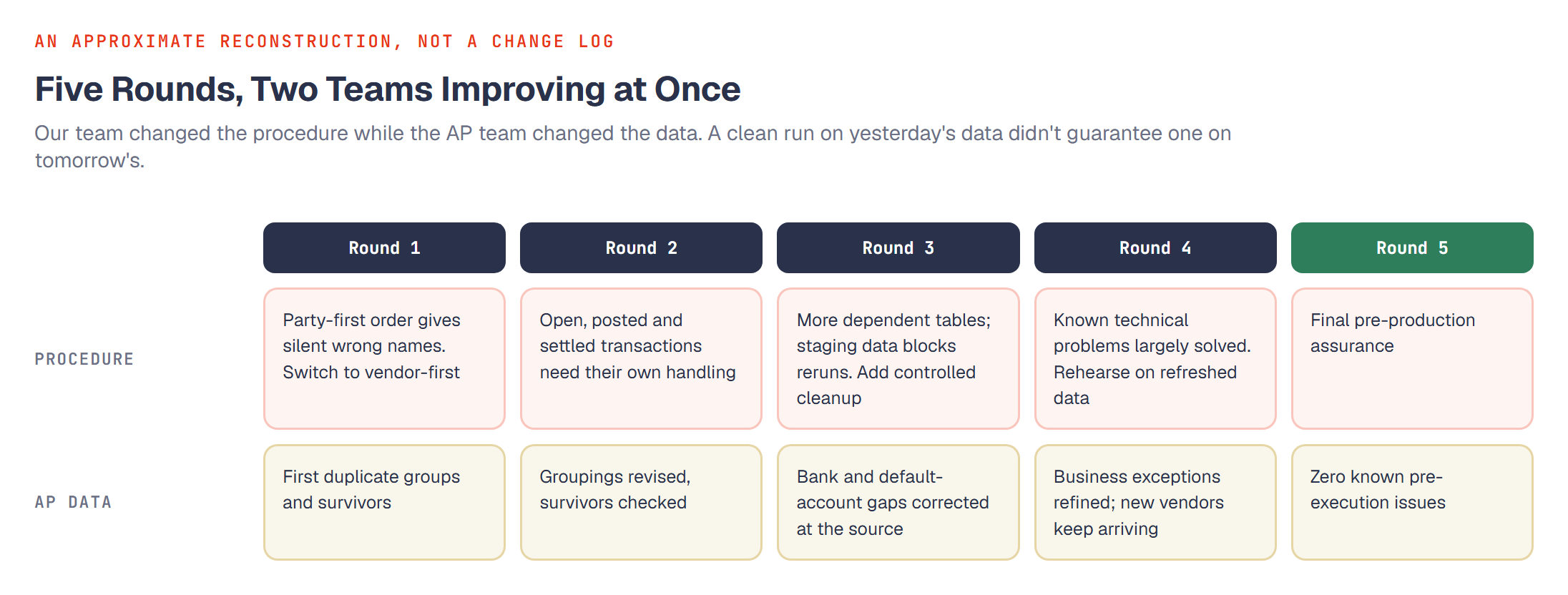
Each round was a full rehearsal on a copy of production, and none of them repeated the one before. While we changed the procedure, the AP team changed the data: regrouping duplicates, checking survivors and fixing records at the source. New vendors kept arriving the whole time, so a clean run on last month's copy proved nothing about this month's.
Transactions were where most of the depth went. Open, posted and settled transactions each needed separate handling, along with purchase orders, invoice journals and registered invoices. Bank accounts, default accounts and company-specific financial dimensions came next. Some data entity staging records blocked reruns, so the developer added targeted cleanup to the controlled procedure. That was scoped to this process. It isn't advice to truncate staging tables in a live system.
Rehearse until a run on fresh production data finishes with zero known exceptions. A procedure that passed on old data hasn't passed.
Validate before, not after
Most of the validation in the final method happened before consolidation ran. In each rehearsal we compared the consolidated result with the original production copy, check by check.
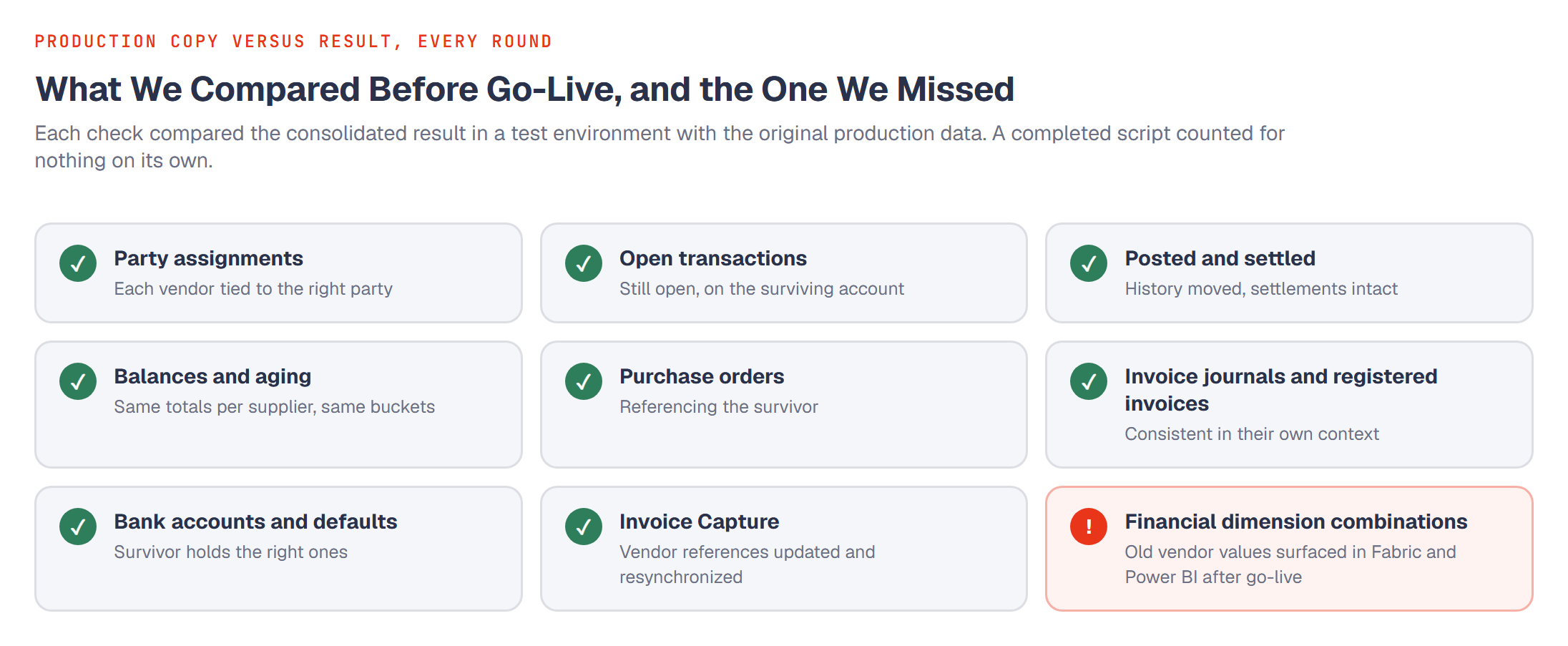
By the last rehearsal, execution started with zero known pre-consolidation issues. Zero known, which isn't the same as zero possible. The ninth box is the proof.
The system you forget finds the last issue
Invoice Capture had its own planned vendor reference updates and resynchronization, and it worked. What we hadn't planned for was where else vendor identifiers live. Shortly after go-live, Power BI reports and an AP inference process, which proposes invoice accounting from historical patterns, showed old vendor references.
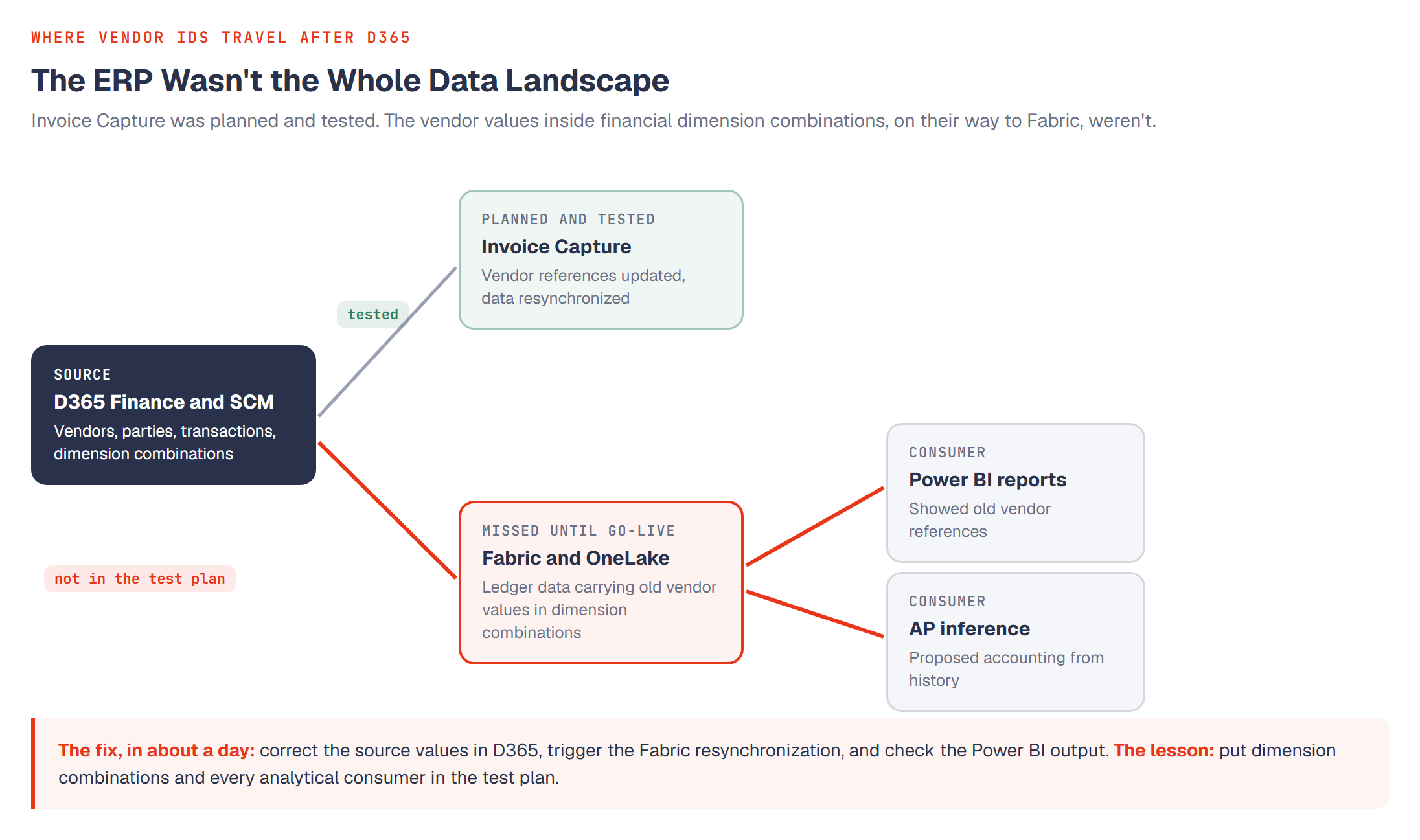
The source was vendor values held in financial dimension combinations, the DimensionAttributeValueCombination data that ledger records reference. A handful of recurring patterns explained it. We corrected the source data in D365, triggered the Fabric resynchronization and checked the Power BI output, in about a day.
The sequence and staging behavior here were observed in one implementation with its own customizations. Review them against your build before reusing them, and don't treat a zero-exception rehearsal as proof that nothing downstream depends on the old identifiers.
What we'd repeat, and what we'd add
- Repeat: full rehearsals on fresh production copies, source data fixed by AP rather than patched in the migration, business ownership of every survivor, and reconciliation by transaction type.
- Repeat: a multi-team cutover with a rollback plan nobody expects to use.
- Add: financial dimension combinations, and every analytical system that reads them, to the pre-go-live test plan.
The method that reaches production is rarely the one you wrote first. It's the one that survived five rounds of real data, and that you can explain, test and defend. If you're consolidating vendors across many companies, budget for the rehearsals, and map every system that stores a vendor ID before you start.
Frequently asked questions
In what order should vendors and parties be consolidated?
In this implementation, vendor accounts first, with designated master accounts before the others, and party records merged last. Merging parties first left some vendors attached to the wrong party without any error. Check the order against your own build and customizations.
Isn't the standard Rename function enough?
Rename on Record info changes one account and updates its references, and Merge records combines parties. For many vendors in the same legal entity collapsing into one survivor, at volume and with validation, we built a procedure around those mechanisms.
What should a vendor consolidation test plan include?
Party assignments, open, posted and settled transactions, balances and aging, purchase orders, invoice journals, bank accounts and defaults, every integration such as Invoice Capture, and financial dimension combinations with the analytics that read them.